Performance Manager

Configure & Control Audio Systems

JBL Performance Manager

Performance Manager streamlines the deployment and operation of JBL and Crown networked audio systems for live events, reducing design time, simplifying networking, and automating control setup. Its patented interface guides technicians through system deployment and optimization step-by-step, greatly simplifying the configuration process.

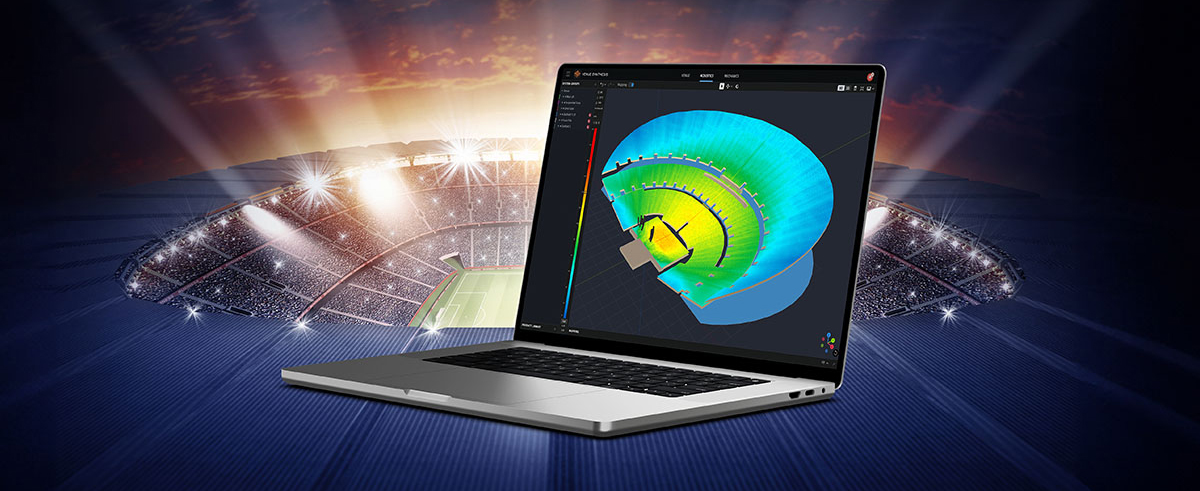
Performance Manager is part of a comprehensive software ecosystem which includes JBL’s Venue Synthesis 3D Acoustic Simulation Software, and the ArrayLink mobile companion app. Together these applications take operators from system design phase to deployment in no time.

Download Performance Manager
Windows

Drag-and-Drop System Design

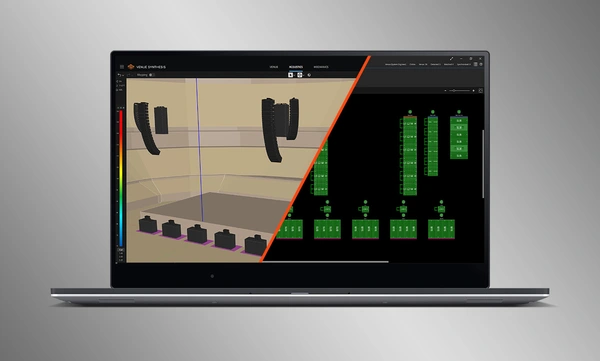
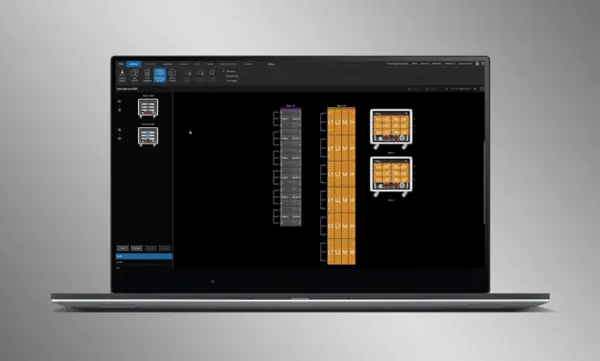
Visually drag and drop JBL Professional speakers and Crown amplifiers into groups of arrays and connect them to the amplifiers. Control functions are automatically organized into logical groups, making it easy to configure and optimize JBL sound systems.

ระบบที่ปรับให้เหมาะสมสำหรับการนำเข้า

การออกแบบระบบที่สมบูรณ์จาก Venue Synthesis สามารถนำเข้าไปยัง Performance Manager ได้โดยตรง ข้อมูลอาร์เรย์ทั้งหมดจะถูกนำเข้า รวมถึงประเภทลำโพง DSP และพารามิเตอร์อาร์เรย์ พารามิเตอร์ที่นำเข้ามาสามารถอัปเดตได้อย่างง่ายดายหากมีการเปลี่ยนแปลงในไฟล์ที่นำเข้า

Connect and Synchronize Devices

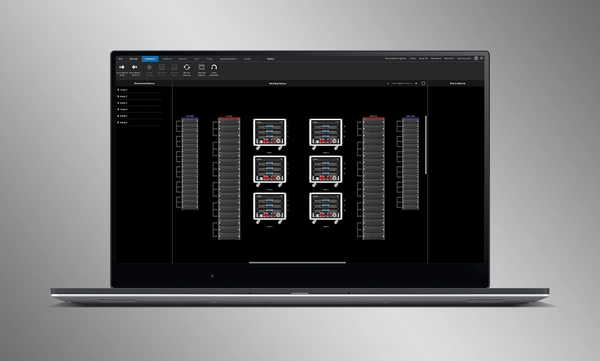
Drag and drop networked amplifiers onto their software counterparts to connect and synchronize devices. All system related data, including JBL speaker preset and imported DSP parameters are automatically synchronized.

System Verification Tools

A dedicated Test Mode provides operators with intuitive tools to verify per-bandpass speaker functionality and input patching to amplifiers.

การปรับแต่งระบบอย่างเหมาะสมด้วยการใช้งานที่เข้าใจง่าย

Performance Manager จัดกลุ่มการควบคุม DSP โดยอัตโนมัติเป็นกลุ่มตามอาร์เรย์อย่างมีตรรกะ สามารถเข้าถึงตัวกรองการสอบเทียบและตัวกรอง EQ ได้ผ่าน GUI ที่สวยงามน่าใช้ ซึ่งได้รับการปรับให้เหมาะสมกับอุปกรณ์ระบบสัมผัสที่ใช้ Windows OS ทั้งตัวกรองการสอบเทียบ EQ Delay และ Gain สามารถปรับเปลี่ยนได้ในระดับระบบ ระดับอาร์เรย์ และระดับวงจรที่หลากหลาย

Visual Monitoring Tools

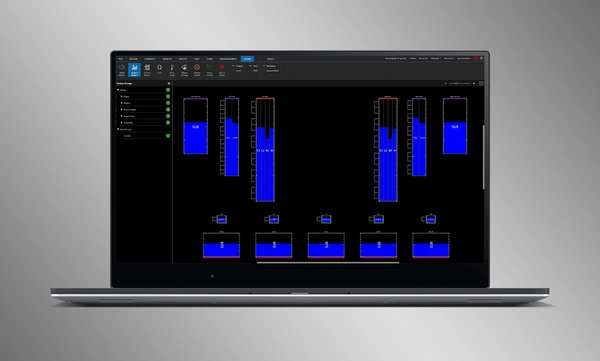
The dedicated Show Mode displays high resolution system metering and amplifier telemetry, overlaid directly onto the graphical representation of the audio system.

การผสานรวมกับ SMAART

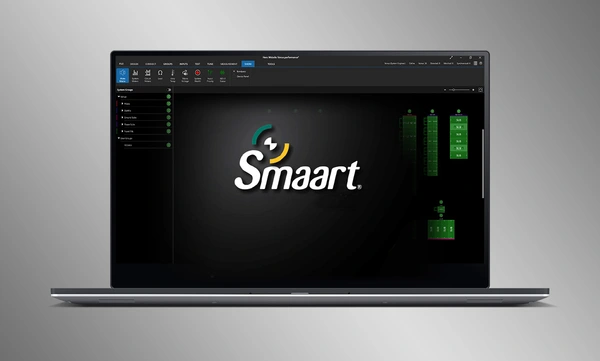
การผสานรวมกับซอฟต์แวร์ทดสอบและวัดค่าทางอะคูสติก Smaart® (v7 และ v8) ของ Rational Acoustics มอบการเข้าถึงข้อมูลการวัดค่าแบบเรียลไทม์ในระดับที่ไม่เคยมีมาก่อน—โดยส่งผ่านเครือข่ายมาแสดงบนหน้าจอเดียว

Drag-and-Drop System Design

Visually drag and drop JBL Professional speakers and Crown amplifiers into groups of arrays and connect them to the amplifiers. Control functions are automatically organized into logical groups, making it easy to configure and optimize JBL sound systems.

ระบบที่ปรับให้เหมาะสมสำหรับการนำเข้า

การออกแบบระบบที่สมบูรณ์จาก Venue Synthesis สามารถนำเข้าไปยัง Performance Manager ได้โดยตรง ข้อมูลอาร์เรย์ทั้งหมดจะถูกนำเข้า รวมถึงประเภทลำโพง DSP และพารามิเตอร์อาร์เรย์ พารามิเตอร์ที่นำเข้ามาสามารถอัปเดตได้อย่างง่ายดายหากมีการเปลี่ยนแปลงในไฟล์ที่นำเข้า

Connect and Synchronize Devices

Drag and drop networked amplifiers onto their software counterparts to connect and synchronize devices. All system related data, including JBL speaker preset and imported DSP parameters are automatically synchronized.

System Verification Tools

A dedicated Test Mode provides operators with intuitive tools to verify per-bandpass speaker functionality and input patching to amplifiers.

การปรับแต่งระบบอย่างเหมาะสมด้วยการใช้งานที่เข้าใจง่าย

Performance Manager จัดกลุ่มการควบคุม DSP โดยอัตโนมัติเป็นกลุ่มตามอาร์เรย์อย่างมีตรรกะ สามารถเข้าถึงตัวกรองการสอบเทียบและตัวกรอง EQ ได้ผ่าน GUI ที่สวยงามน่าใช้ ซึ่งได้รับการปรับให้เหมาะสมกับอุปกรณ์ระบบสัมผัสที่ใช้ Windows OS ทั้งตัวกรองการสอบเทียบ EQ Delay และ Gain สามารถปรับเปลี่ยนได้ในระดับระบบ ระดับอาร์เรย์ และระดับวงจรที่หลากหลาย

Visual Monitoring Tools

The dedicated Show Mode displays high resolution system metering and amplifier telemetry, overlaid directly onto the graphical representation of the audio system.

การผสานรวมกับ SMAART

การผสานรวมกับซอฟต์แวร์ทดสอบและวัดค่าทางอะคูสติก Smaart® (v7 และ v8) ของ Rational Acoustics มอบการเข้าถึงข้อมูลการวัดค่าแบบเรียลไทม์ในระดับที่ไม่เคยมีมาก่อน—โดยส่งผ่านเครือข่ายมาแสดงบนหน้าจอเดียว

รายละเอียดเพิ่มเติม

Supported JBL Systems:

Supported Operating Systems:

  • 64-bit versions of Windows 7, Windows 8.1, Windows 10, Windows 11

Minimum Performance Guidelines:

  • CPU: 64 bit dual core @ 2.0GHz or better
  • Memory: 4GB

Optimal Performance Guidelines:

  • CPU: 64 bit dual core @ 2.50 GHz or better
  • RAM: 8GB or more
  • OS: 64-bit Windows 7 or above
  • Storage: SSD

การดาวน์โหลด

Software
  เวอร์ชัน ขนาด อัปโหลดแล้ว
Windows download icon PerformanceManager
เวอร์ชัน 3.3.0, อัปเดต: ก.ค. 2026
3.3.0   136 เมกะไบต์ ก.ค. 2026
Readmes
  เวอร์ชัน ภาษา ขนาด อัปโหลดแล้ว
file type icon Performance Manager Readme
en เวอร์ชัน 3.3, อัปเดต: ก.ค. 2026
3.3  en  4.86 เมกะไบต์ ก.ค. 2026

หากลิงก์ใดด้านบนแสดงตัวอักษรแปลกๆ ในเบราว์เซอร์ของคุณ โปรดคลิกขวาที่ไฟล์เพื่อบันทึกไว้ในคอมพิวเตอร์ของคุณ

อะไหล่และบริการ

วิดีโอ


HARMAN Pro Insights

การสนับสนุน/คำถามที่พบบ่อย