Performance Manager

Configure & Control Audio Systems

JBL Performance Manager

Performance Manager streamlines the deployment and operation of JBL and Crown networked audio systems for live events, reducing design time, simplifying networking, and automating control setup. Its patented interface guides technicians through system deployment and optimization step-by-step, greatly simplifying the configuration process.

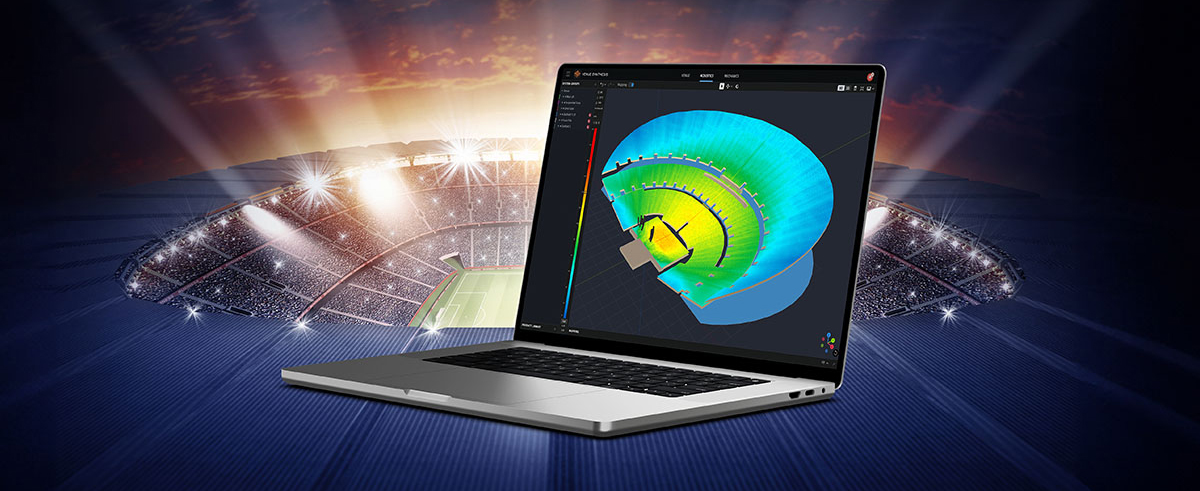
Performance Manager is part of a comprehensive software ecosystem which includes JBL’s Venue Synthesis 3D Acoustic Simulation Software, and the ArrayLink mobile companion app. Together these applications take operators from system design phase to deployment in no time.

Download Performance Manager
Windows

Drag-and-Drop System Design

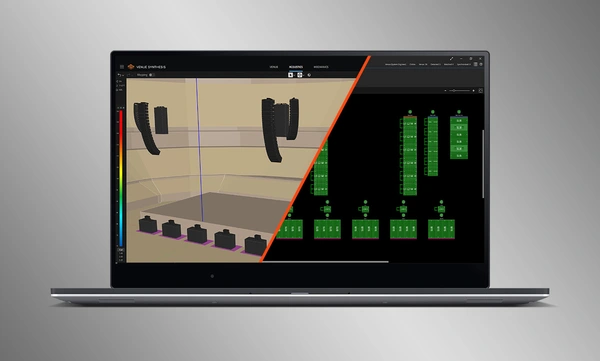
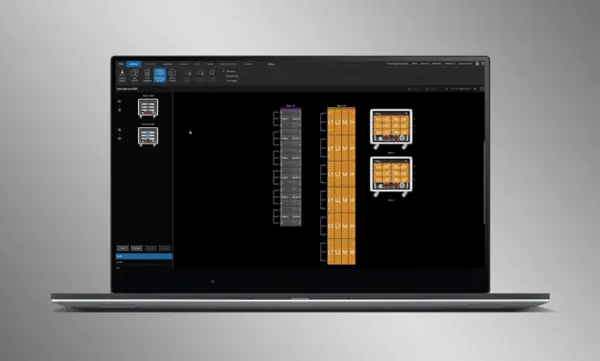
Visually drag and drop JBL Professional speakers and Crown amplifiers into groups of arrays and connect them to the amplifiers. Control functions are automatically organized into logical groups, making it easy to configure and optimize JBL sound systems.

Import Optimized Systems

Complete system designs from Venue Synthesis can be directly imported into Performance Manager. All array data is imported including speaker type, DSP, and array parameters. Imported parameters can be easily updated if a change is made to the imported file.

Connect and Synchronize Devices

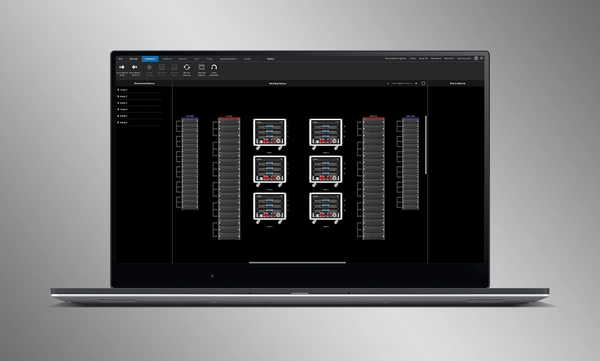
Drag and drop networked amplifiers onto their software counterparts to connect and synchronize devices. All system related data, including JBL speaker preset and imported DSP parameters are automatically synchronized.

System Verification Tools

A dedicated Test Mode provides operators with intuitive tools to verify per-bandpass speaker functionality and input patching to amplifiers.

Intuitive System Optimization

Performance Manager automatically groups DSP controls into logical array-based groups. Calibration and EQ filters are accessed through a visually-pleasing GUI, optimized for Windows OS touch-enabled devices. Calibration filters, EQ, Delay, and Gain can all be modified at various system, array and circuit levels.

Công Cụ Giám Sát Trực Quan

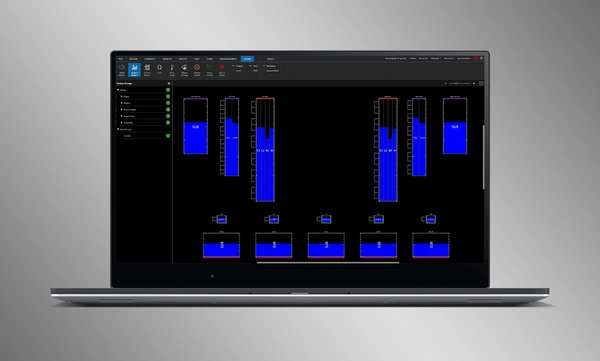
Show Mode chuyên dụng hiển thị đồng hồ đo hệ thống độ phân giải cao và dữ liệu telemetry của bộ khuếch đại, được phủ trực tiếp lên sơ đồ đồ họa của hệ thống âm thanh.

Tích hợp SMAART

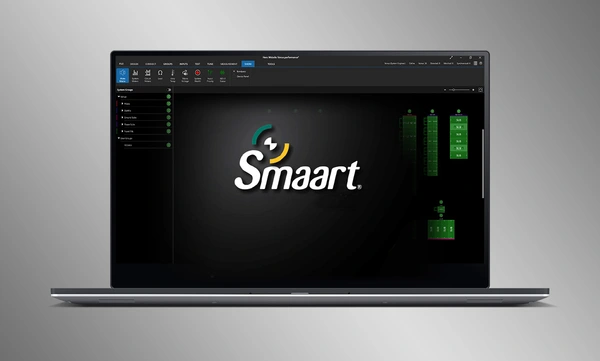
Tích hợp với phần mềm kiểm tra và đo lường âm học Smaart® (v7 và v8) của Rational Acoustics cung cấp quyền truy cập chưa từng có vào thông tin đo lường trực tiếp—tất cả được truyền qua mạng trên một màn hình.

Drag-and-Drop System Design

Visually drag and drop JBL Professional speakers and Crown amplifiers into groups of arrays and connect them to the amplifiers. Control functions are automatically organized into logical groups, making it easy to configure and optimize JBL sound systems.

Import Optimized Systems

Complete system designs from Venue Synthesis can be directly imported into Performance Manager. All array data is imported including speaker type, DSP, and array parameters. Imported parameters can be easily updated if a change is made to the imported file.

Connect and Synchronize Devices

Drag and drop networked amplifiers onto their software counterparts to connect and synchronize devices. All system related data, including JBL speaker preset and imported DSP parameters are automatically synchronized.

System Verification Tools

A dedicated Test Mode provides operators with intuitive tools to verify per-bandpass speaker functionality and input patching to amplifiers.

Intuitive System Optimization

Performance Manager automatically groups DSP controls into logical array-based groups. Calibration and EQ filters are accessed through a visually-pleasing GUI, optimized for Windows OS touch-enabled devices. Calibration filters, EQ, Delay, and Gain can all be modified at various system, array and circuit levels.

Công Cụ Giám Sát Trực Quan

Show Mode chuyên dụng hiển thị đồng hồ đo hệ thống độ phân giải cao và dữ liệu telemetry của bộ khuếch đại, được phủ trực tiếp lên sơ đồ đồ họa của hệ thống âm thanh.

Tích hợp SMAART

Tích hợp với phần mềm kiểm tra và đo lường âm học Smaart® (v7 và v8) của Rational Acoustics cung cấp quyền truy cập chưa từng có vào thông tin đo lường trực tiếp—tất cả được truyền qua mạng trên một màn hình.

Thêm Chi tiết

Supported JBL Systems:

Supported Operating Systems:

  • 64-bit versions of Windows 7, Windows 8.1, Windows 10, Windows 11

Minimum Performance Guidelines:

  • CPU: 64 bit dual core @ 2.0GHz or better
  • Memory: 4GB

Optimal Performance Guidelines:

  • CPU: 64 bit dual core @ 2.50 GHz or better
  • RAM: 8GB or more
  • OS: 64-bit Windows 7 or above
  • Storage: SSD

Tải xuống

Software
  Phiên bản Kích thước Đã tải lên
Windows download icon PerformanceManager
phiên bản 3.3.0, cập nhật: Thg 7 2026
3.3.0   100 MB Thg 7 2026
Readmes
  Phiên bản Ngôn ngữ Kích thước Đã tải lên
file type icon Performance Manager Readme
en phiên bản 3.3, cập nhật: Thg 7 2026
3.3  en  5 MB Thg 7 2026

Nếu bất kỳ liên kết nào ở trên hiển thị ký tự lạ trong trình duyệt của bạn, vui lòng nhấp chuột phải vào tệp để lưu vào máy tính của bạn.

Phụ tùng & Dịch vụ

Video


HARMAN Pro Insights

Hỗ trợ/FAQ