Performance Manager

Ρύθμιση & Έλεγχος Συστημάτων Ήχου

JBL Performance Manager

Performance Manager streamlines the deployment and operation of JBL and Crown networked audio systems for live events, reducing design time, simplifying networking, and automating control setup. Its patented interface guides technicians through system deployment and optimization step-by-step, greatly simplifying the configuration process.

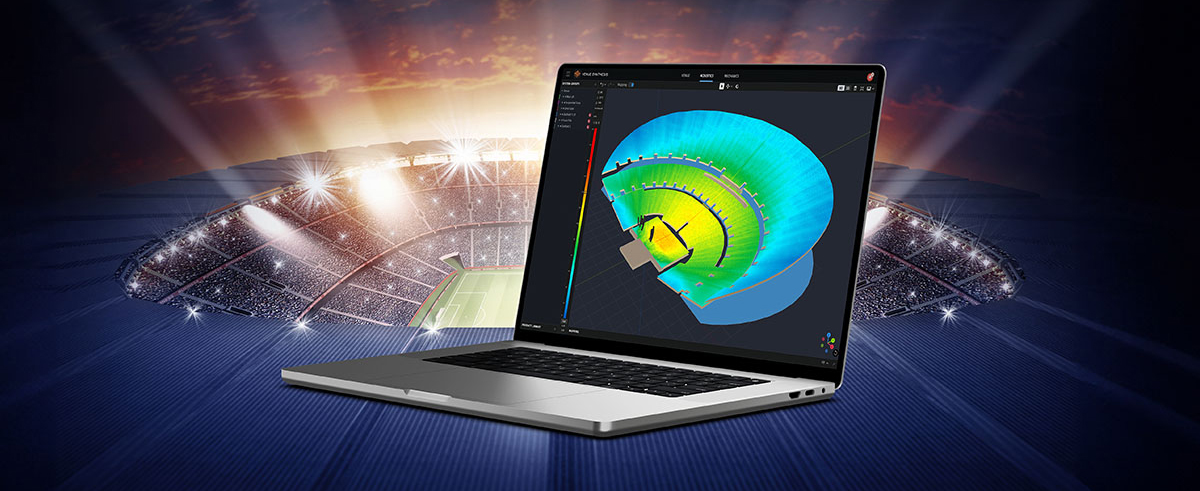
Performance Manager is part of a comprehensive software ecosystem which includes JBL’s Venue Synthesis 3D Acoustic Simulation Software, and the ArrayLink mobile companion app. Together these applications take operators from system design phase to deployment in no time.

Download Performance Manager
Windows

Drag-and-Drop System Design

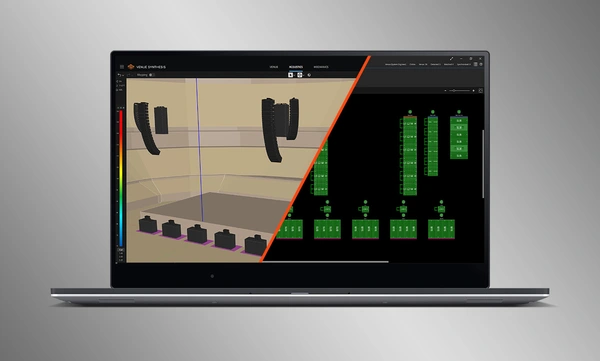
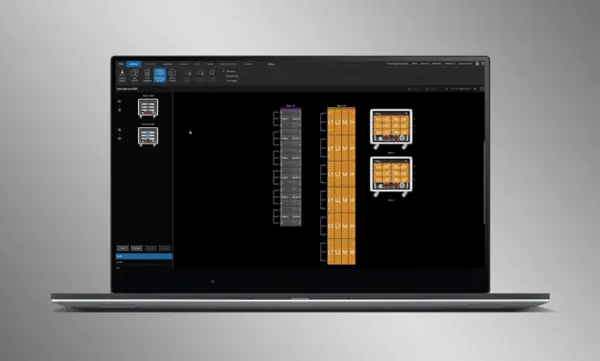
Visually drag and drop JBL Professional speakers and Crown amplifiers into groups of arrays and connect them to the amplifiers. Control functions are automatically organized into logical groups, making it easy to configure and optimize JBL sound systems.

Εισαγωγή Βελτιστοποιημένων Συστημάτων

Τα πλήρη σχέδια συστημάτων από το Venue Synthesis μπορούν να εισαχθούν απευθείας στο Performance Manager. Όλα τα δεδομένα array εισάγονται, συμπεριλαμβανομένου του τύπου ηχείου, του DSP και των παραμέτρων array. Οι εισαγμένες παράμετροι μπορούν να ενημερωθούν εύκολα εάν γίνει αλλαγή στο εισαγμένο αρχείο.

Σύνδεση και Συγχρονισμός Συσκευών

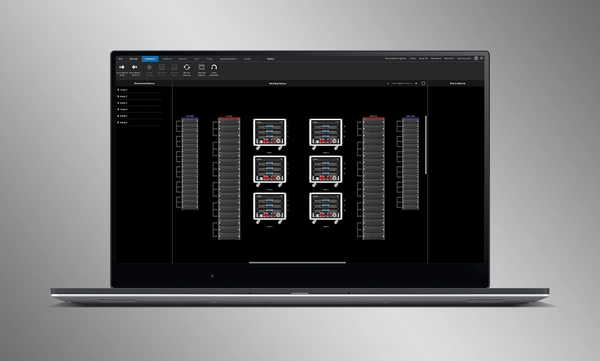
Σύρετε και αποθέστε δικτυακούς ενισχυτές στα αντίστοιχα λογισμικά τους για σύνδεση και συγχρονισμό συσκευών. Όλα τα δεδομένα που σχετίζονται με το σύστημα, συμπεριλαμβανομένης της προεπιλογής ηχείου JBL και των εισαγόμενων παραμέτρων DSP, συγχρονίζονται αυτόματα.

System Verification Tools

A dedicated Test Mode provides operators with intuitive tools to verify per-bandpass speaker functionality and input patching to amplifiers.

Intuitive System Optimization

Performance Manager automatically groups DSP controls into logical array-based groups. Calibration and EQ filters are accessed through a visually-pleasing GUI, optimized for Windows OS touch-enabled devices. Calibration filters, EQ, Delay, and Gain can all be modified at various system, array and circuit levels.

Visual Monitoring Tools

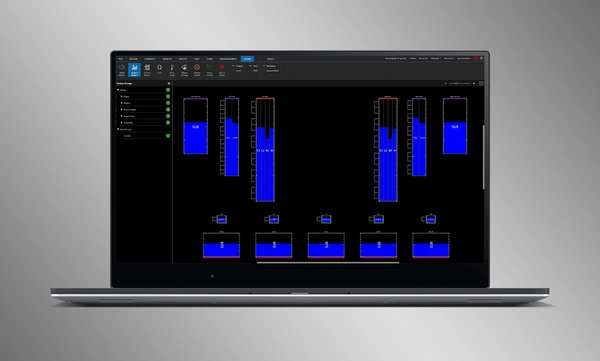
The dedicated Show Mode displays high resolution system metering and amplifier telemetry, overlaid directly onto the graphical representation of the audio system.

SMAART Integration

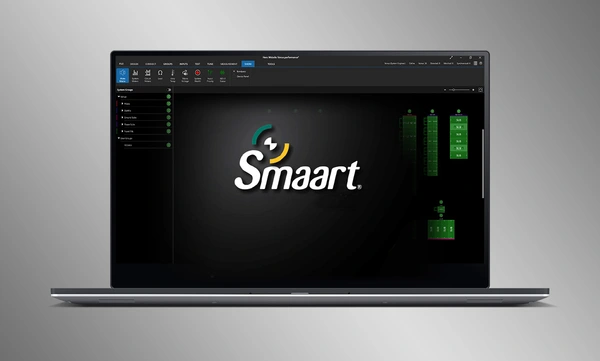
Integration with Rational Acoustics' Smaart® (v7 and v8) acoustic testing and measurement software provides unprecedented access to live measurement information—all delivered over the network on one screen.

Drag-and-Drop System Design

Visually drag and drop JBL Professional speakers and Crown amplifiers into groups of arrays and connect them to the amplifiers. Control functions are automatically organized into logical groups, making it easy to configure and optimize JBL sound systems.

Εισαγωγή Βελτιστοποιημένων Συστημάτων

Τα πλήρη σχέδια συστημάτων από το Venue Synthesis μπορούν να εισαχθούν απευθείας στο Performance Manager. Όλα τα δεδομένα array εισάγονται, συμπεριλαμβανομένου του τύπου ηχείου, του DSP και των παραμέτρων array. Οι εισαγμένες παράμετροι μπορούν να ενημερωθούν εύκολα εάν γίνει αλλαγή στο εισαγμένο αρχείο.

Σύνδεση και Συγχρονισμός Συσκευών

Σύρετε και αποθέστε δικτυακούς ενισχυτές στα αντίστοιχα λογισμικά τους για σύνδεση και συγχρονισμό συσκευών. Όλα τα δεδομένα που σχετίζονται με το σύστημα, συμπεριλαμβανομένης της προεπιλογής ηχείου JBL και των εισαγόμενων παραμέτρων DSP, συγχρονίζονται αυτόματα.

System Verification Tools

A dedicated Test Mode provides operators with intuitive tools to verify per-bandpass speaker functionality and input patching to amplifiers.

Intuitive System Optimization

Performance Manager automatically groups DSP controls into logical array-based groups. Calibration and EQ filters are accessed through a visually-pleasing GUI, optimized for Windows OS touch-enabled devices. Calibration filters, EQ, Delay, and Gain can all be modified at various system, array and circuit levels.

Visual Monitoring Tools

The dedicated Show Mode displays high resolution system metering and amplifier telemetry, overlaid directly onto the graphical representation of the audio system.

SMAART Integration

Integration with Rational Acoustics' Smaart® (v7 and v8) acoustic testing and measurement software provides unprecedented access to live measurement information—all delivered over the network on one screen.

Περισσότερες λεπτομέρειες

Υποστηριζόμενα Συστήματα JBL:

Υποστηριζόμενα Λειτουργικά Συστήματα:

  • 64-bit εκδόσεις των Windows 7, Windows 8.1, Windows 10, Windows 11

Ελάχιστες Κατευθυντήριες Γραμμές Απόδοσης:

  • CPU: 64 bit dual core @ 2.0GHz ή καλύτερο
  • Memory: 4GB

Κατευθυντήριες Γραμμές Βέλτιστης Απόδοσης:

  • CPU: 64 bit dual core @ 2.50 GHz ή καλύτερο
  • RAM: 8GB ή περισσότερο
  • OS: 64-bit Windows 7 ή νεότερο
  • Storage: SSD

Λήψεις

Software
  Έκδοση Μέγεθος Ανέβηκε
Windows download icon PerformanceManager
έκδοση 3.3.0, ενημέρωση: Ιουλ 2026
3.3.0   100 MB Ιουλ 2026
Readmes
  Έκδοση Γλώσσα Μέγεθος Ανέβηκε
file type icon Performance Manager Readme
en έκδοση 3.3, ενημέρωση: Ιουλ 2026
3.3  en  5 MB Ιουλ 2026

Εάν κάποιος από τους παραπάνω συνδέσμους έχει ως αποτέλεσμα παράξενους χαρακτήρες στο πρόγραμμα περιήγησής σας, κάντε δεξί κλικ στο αρχείο για να το αποθηκεύσετε στον υπολογιστή σας.

Ανταλλακτικά και σέρβις

Βίντεο


HARMAN Pro Insights

Υποστήριξη/FAQ