Performance Manager

Configure & Control Audio Systems

JBL Performance Manager

Performance Manager streamlines the deployment and operation of JBL and Crown networked audio systems for live events, reducing design time, simplifying networking, and automating control setup. Its patented interface guides technicians through system deployment and optimization step-by-step, greatly simplifying the configuration process.

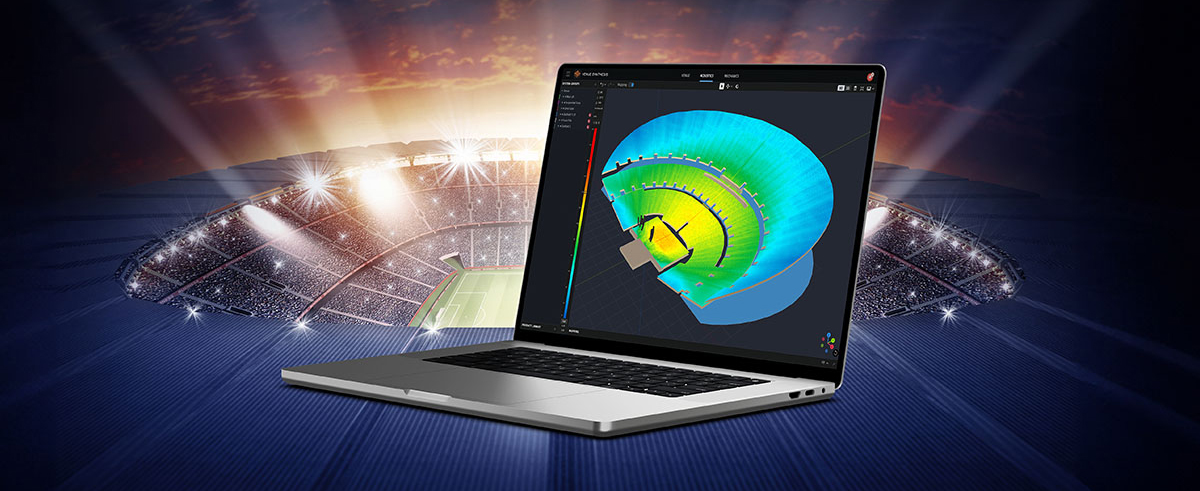
Performance Manager is part of a comprehensive software ecosystem which includes JBL’s Venue Synthesis 3D Acoustic Simulation Software, and the ArrayLink mobile companion app. Together these applications take operators from system design phase to deployment in no time.

Download Performance Manager
Windows

Drag-and-Drop System Design

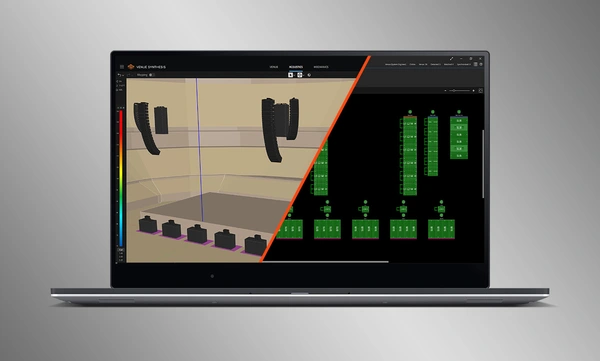
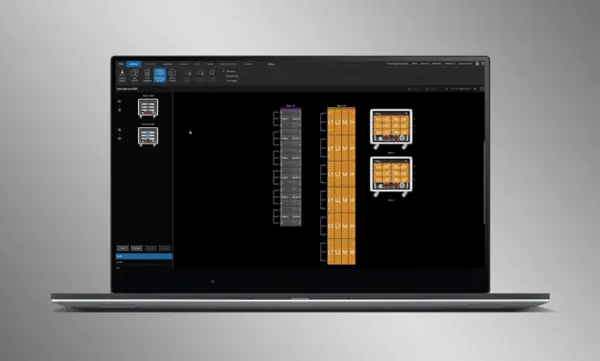
Visually drag and drop JBL Professional speakers and Crown amplifiers into groups of arrays and connect them to the amplifiers. Control functions are automatically organized into logical groups, making it easy to configure and optimize JBL sound systems.

Import Optimized Systems

Complete system designs from Venue Synthesis can be directly imported into Performance Manager. All array data is imported including speaker type, DSP, and array parameters. Imported parameters can be easily updated if a change is made to the imported file.

Connect and Synchronize Devices

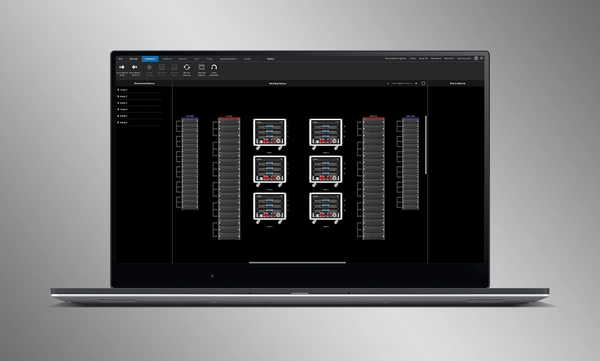
Drag and drop networked amplifiers onto their software counterparts to connect and synchronize devices. All system related data, including JBL speaker preset and imported DSP parameters are automatically synchronized.

System Verification Tools

A dedicated Test Mode provides operators with intuitive tools to verify per-bandpass speaker functionality and input patching to amplifiers.

Intuitive System Optimization

Performance Manager automatically groups DSP controls into logical array-based groups. Calibration and EQ filters are accessed through a visually-pleasing GUI, optimized for Windows OS touch-enabled devices. Calibration filters, EQ, Delay, and Gain can all be modified at various system, array and circuit levels.

Visual Monitoring Tools

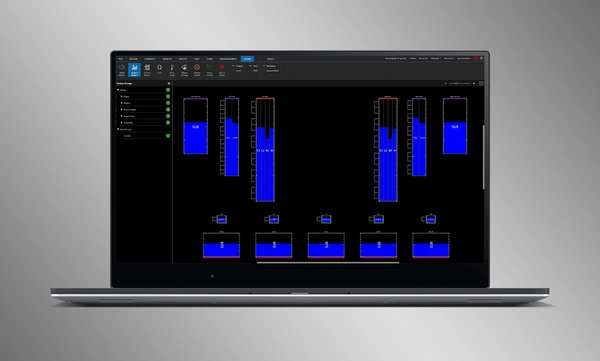
The dedicated Show Mode displays high resolution system metering and amplifier telemetry, overlaid directly onto the graphical representation of the audio system.

SMAART Integration

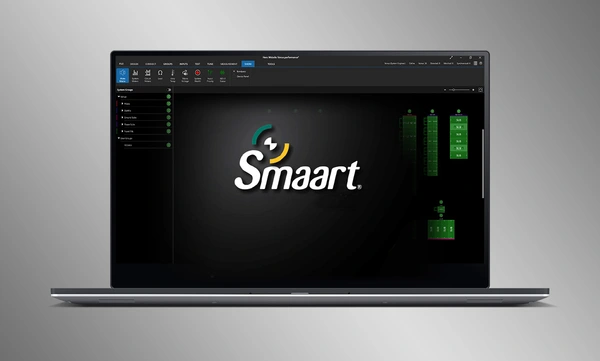
Integration with Rational Acoustics' Smaart® (v7 and v8) acoustic testing and measurement software provides unprecedented access to live measurement information—all delivered over the network on one screen.

Drag-and-Drop System Design

Visually drag and drop JBL Professional speakers and Crown amplifiers into groups of arrays and connect them to the amplifiers. Control functions are automatically organized into logical groups, making it easy to configure and optimize JBL sound systems.

Import Optimized Systems

Complete system designs from Venue Synthesis can be directly imported into Performance Manager. All array data is imported including speaker type, DSP, and array parameters. Imported parameters can be easily updated if a change is made to the imported file.

Connect and Synchronize Devices

Drag and drop networked amplifiers onto their software counterparts to connect and synchronize devices. All system related data, including JBL speaker preset and imported DSP parameters are automatically synchronized.

System Verification Tools

A dedicated Test Mode provides operators with intuitive tools to verify per-bandpass speaker functionality and input patching to amplifiers.

Intuitive System Optimization

Performance Manager automatically groups DSP controls into logical array-based groups. Calibration and EQ filters are accessed through a visually-pleasing GUI, optimized for Windows OS touch-enabled devices. Calibration filters, EQ, Delay, and Gain can all be modified at various system, array and circuit levels.

Visual Monitoring Tools

The dedicated Show Mode displays high resolution system metering and amplifier telemetry, overlaid directly onto the graphical representation of the audio system.

SMAART Integration

Integration with Rational Acoustics' Smaart® (v7 and v8) acoustic testing and measurement software provides unprecedented access to live measurement information—all delivered over the network on one screen.

Keterangan Lebih Lanjut

Supported JBL Systems:

Supported Operating Systems:

  • 64-bit versions of Windows 7, Windows 8.1, Windows 10, Windows 11

Minimum Performance Guidelines:

  • CPU: 64 bit dual core @ 2.0GHz or better
  • Memory: 4GB

Optimal Performance Guidelines:

  • CPU: 64 bit dual core @ 2.50 GHz or better
  • RAM: 8GB or more
  • OS: 64-bit Windows 7 or above
  • Storage: SSD

Unduhan

Software
  Versi Ukuran Diunggah
Windows download icon PerformanceManager
versi 3.2.0, diperbarui: Sep 2025
3.2.0   134 MB Sep 2025
Readmes
  Versi Bahasa Ukuran Diunggah
file type icon Performance Manager Readme
en versi 3.2.0, diperbarui: Sep 2025
3.2.0  en  4,84 MB Sep 2025

Jika ada tautan di atas yang menampilkan karakter aneh di browser Anda, klik kanan file tersebut untuk menyimpannya ke komputer Anda.

Suku Cadang & Servis

Video


Dukungan/FAQ