
Delay View
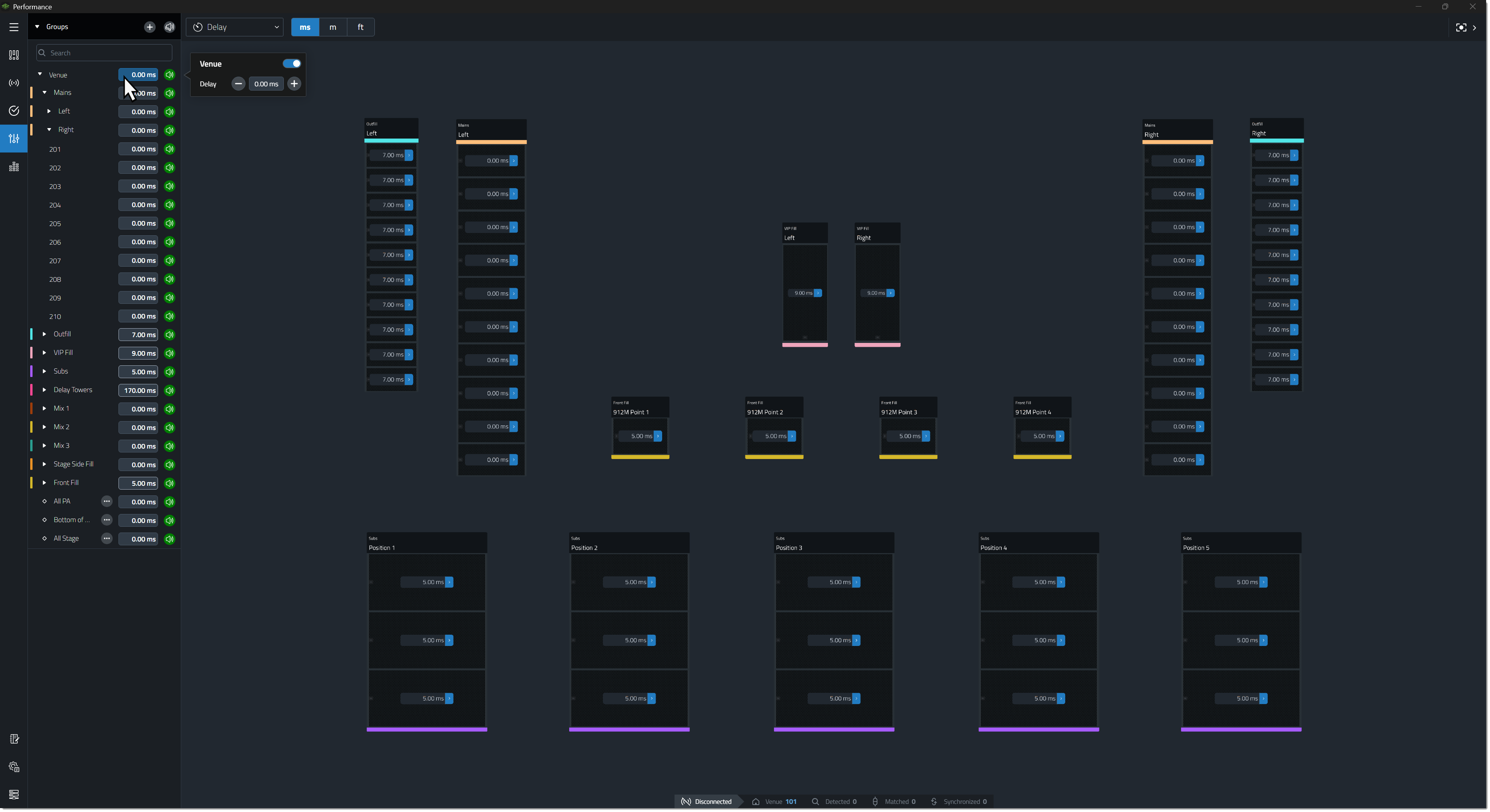
The Delay View allows operators to apply delay to connected devices. Delay can be adjusted for groups in the Groups Panel or for individual devices in the Workspace. Delay values are linked between devices based on speaker type, array type, and symmetry settings. When devices are connected and synchronized, changes are applied in real time. If devices are offline, changes are applied automatically the next time they connect and synchronize.
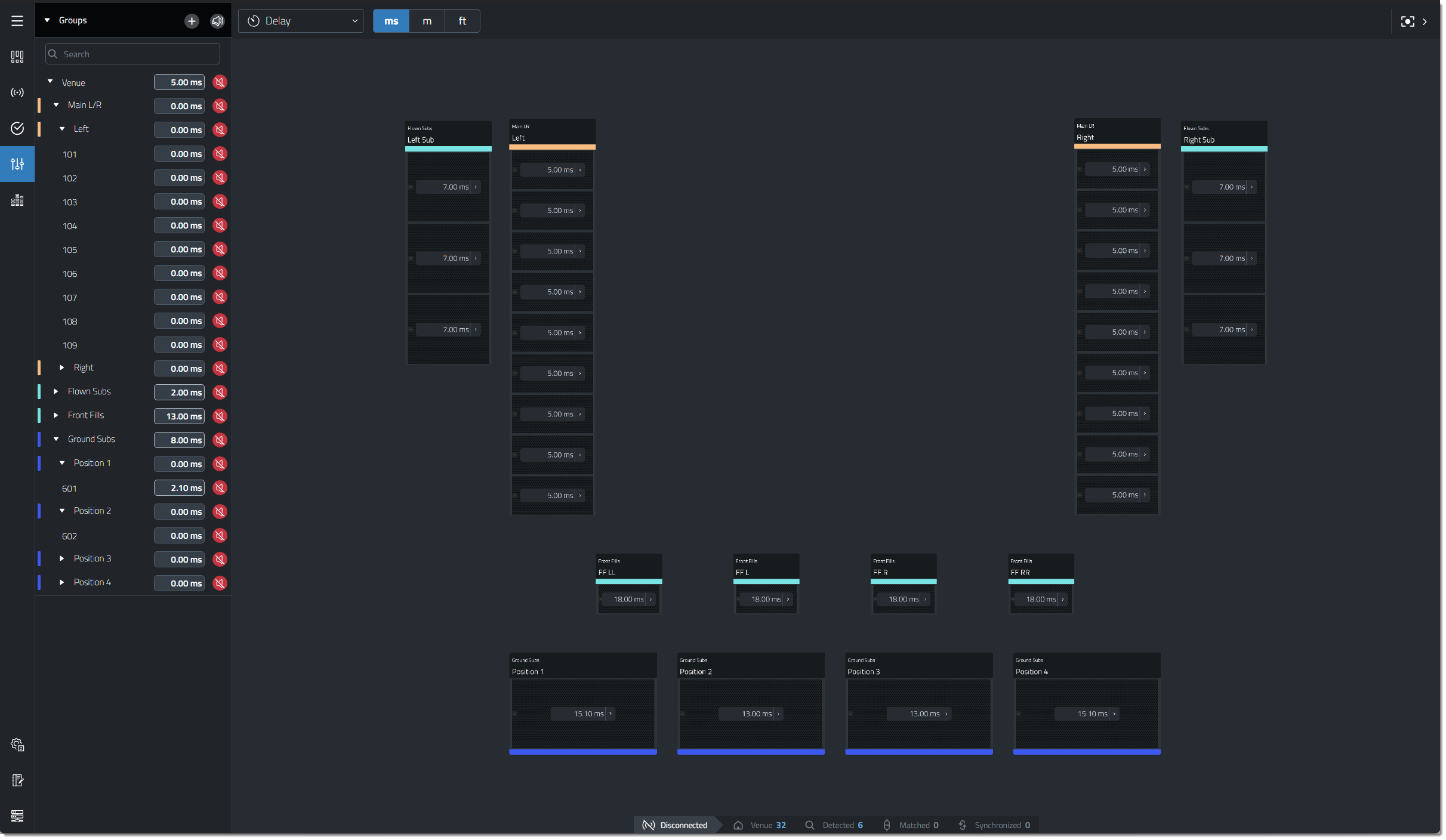
Adjusting a Delay Control
Select the delay value to modify by clicking the value in the Groups Panel or by clicking the corresponding contributor in the device's flyout. A pop-up opens, allowing the value to be entered directly using the keypad or keyboard, depending on user settings. Use the  and
and  buttons to increase or decrease the value incrementally. The Enable control affects only the selected Delay value.
A delay value can also be manually entered by double clicking on the gain value and typing in a new one using the onscreen numeric keypad or a keyboard.
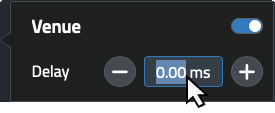
Adjusting Delay from the Groups Panel
The Groups Panel displays a delay value for every group. Adjusting a group's delay value applies that delay to every device that belongs to the group. Because a device can belong to multiple groups, delay can be applied from multiple sources. Each device sums all contributing delay values and displays the result as a single total delay value. Smart Selection helps visualize which devices will be affected when a group is selected and delay is added.
-
Example 1 – Delay is added to the Venue group. Because every speaker belongs to the Venue group, the delay is applied to every device in the Workspace.
-
Example 2 – Delay is added to a System Group. Every speaker in every array that belongs to the selected System Group receives the delay.
-
Example 3 – Delay is added to an Array. Every speaker in the selected array receives the delay.
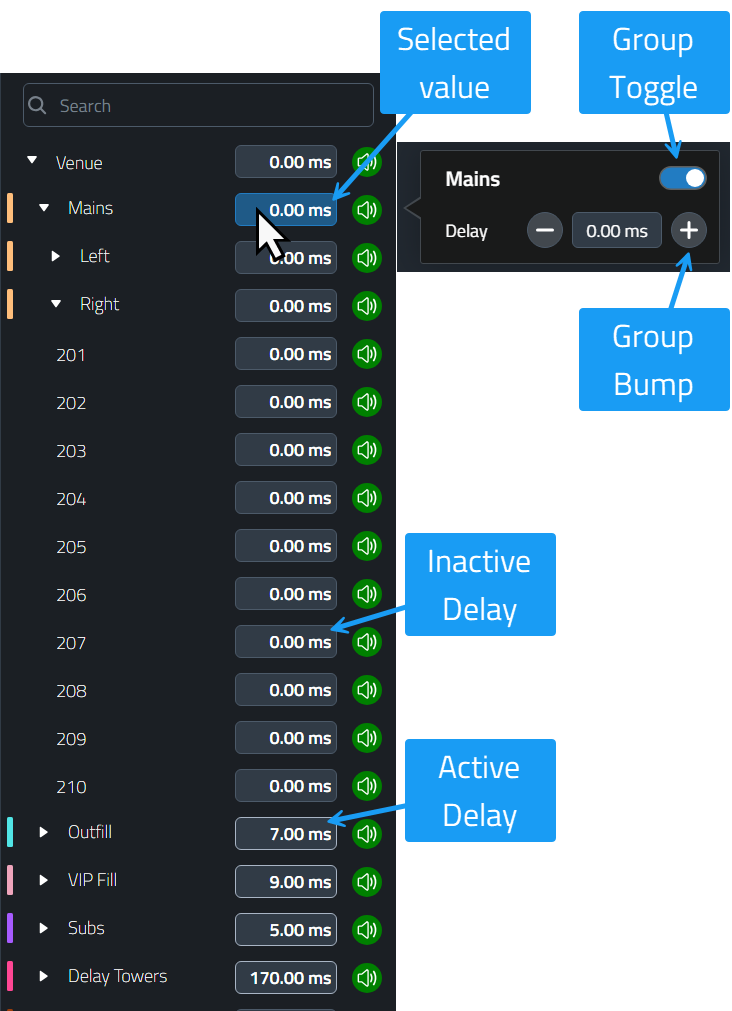
| Name | Description |
|---|---|
| Selected Value | A color change indicates the value currently being modified. Smart Selection highlights other values that will be affected by changes to the selected group. |
| Group Toggle | Indicates whether each contributing group value is enabled. Use this control to enable or disable its contribution. |
| Bump Values | Increases or decreases the value of the selected contributor. |
| Inactive Delay | A gray border indicates that no delay has been set for this value, or that the value is disabled. |
| Active Delay | A white border indicates that delay has been set and is active for this value. |
Device Delay
A single delay value is displayed on each speaker in the Workspace. This value represents the combined delay from all groups to which the speaker belongs. Click the total delay value to display a table showing each contributing delay value including a value for that device.
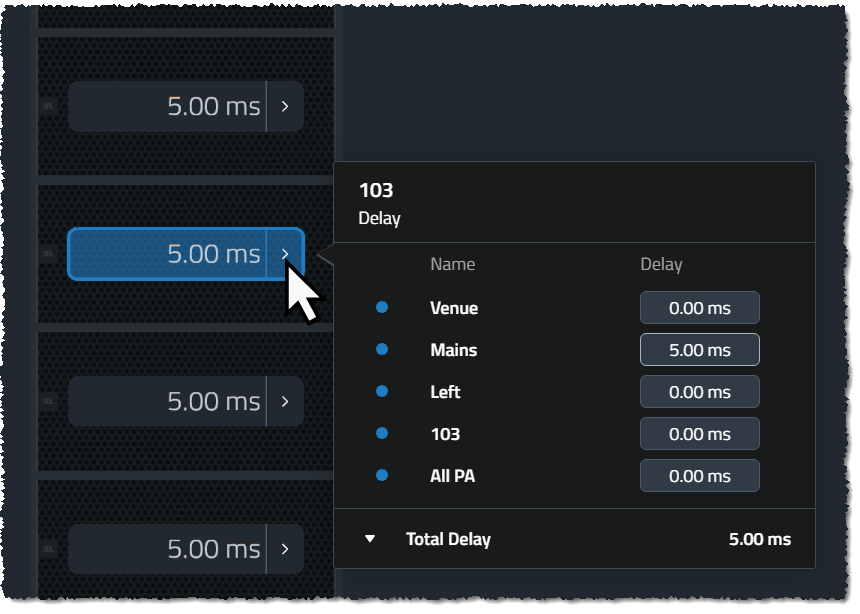
Device Flyout Detail

| Name | Description |
|---|---|
| Row Toggle | Indicates whether each contributing value is enabled. Use this control to enable or disable its contribution to the device's total value. The Toggle will only be shown for a selected contributing value. |
| Contributor Name | Displays the name of the group or the Device ID that contributes the value. |
| Value | Displays the value set for the group. The value can also be modified here by selecting it. |
| Bump Values | Increases or decreases the value of the selected contributor. |
Smart Select
Delay uses Smart Select to highlight selections to make it easier to see what controls are linked through groups, symmetry and linking.
Delay Range
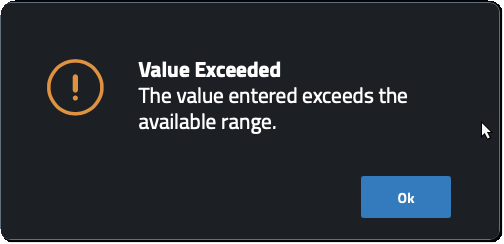
Each device has a delay range from 0-2000ms. Each contribution level can use part or all of the range. When a group applies a value, it will try to push the entered value into each device. In the event the range exceeds the available range on one of the devices in the group, it will raise a dialog and not apply any changes.
Subwoofer Group Delays
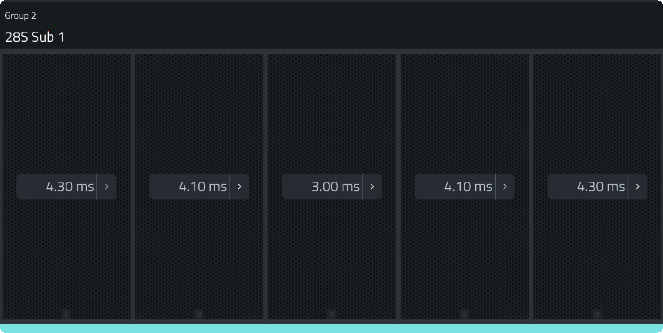
The resolution of device level delay controls displayed on a subwoofer array varies based on the quantity of subwoofer arrays in a Subwoofer System Group.
Subwoofer System Groups with One Array
Subwoofer System Groups consisting of a single Array do not link delay controls for all speakers within the array, allowing Electronic Delay Steering (EDS) to remain possible. The entire subwoofer array can still be delayed simultaneously using Array or System Group delay controls from the Groups Panel or the device Contribution flyout.

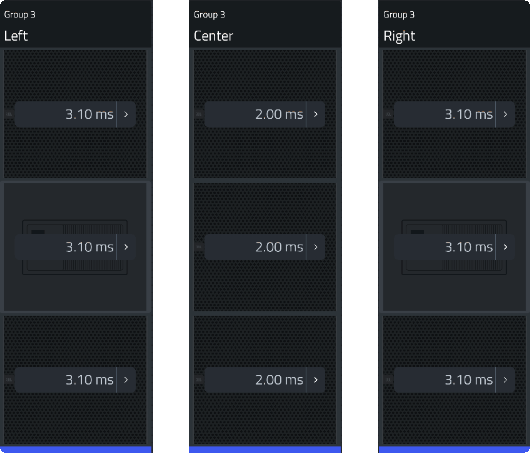
Subwoofer System Groups with Greater than One Array
Multi- Array Subwoofer System Groups, or column oriented groups, link all circuit level delays within each subwoofer array. Steering is achieved with multiple positions of subwoofers. This example shows System Groups Symmetry set to Inside-Out.

Flown Subwoofers
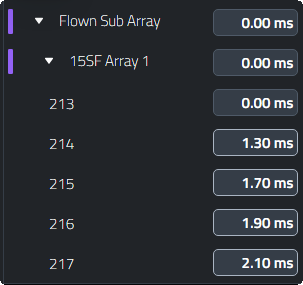
Flown subwoofers will allow individual delays per circuit to allow for vertical beam-steering.
 Unequal DSP Indicator
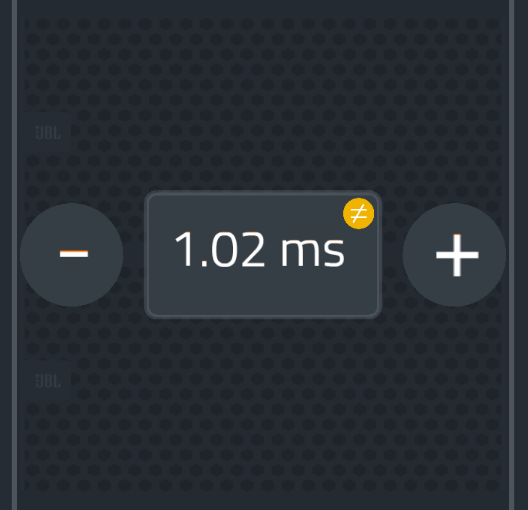
In the event that one (or multiple) parameters within a grouped control have a value that is not equal to the value of the rest of the values, a small yellow indicator will appear next to that value. This unequal situation can be resolved by re-entering the intended value and hitting enter, the software will resend the correct value to all devices within the array and as a result the devices which previously had differing values will be re-aligned.
Units Switch
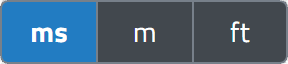
At the top of the Delay View page, next to the Views Drop-down is a switch that can be used to change the units used to enter delay time. If using a distance based input method (Meters or Feet) the delay time in milliseconds will be calculated using the ambient temperature defined in the application settings window.
