Performance Manager hợp lý hóa việc triển khai và vận hành các hệ thống âm thanh kết nối mạng của JBL và Crown cho các sự kiện trực tiếp, giảm thời gian thiết kế, đơn giản hóa kết nối mạng và tự động hóa thiết lập điều khiển. Giao diện được cấp bằng sáng chế của nó hướng dẫn các kỹ thuật viên qua từng bước triển khai và tối ưu hóa hệ thống, giúp đơn giản hóa rất nhiều quy trình cấu hình.
Performance Manager là một phần của hệ sinh thái phần mềm toàn diện bao gồm Phần mềm Mô phỏng Âm học 3D Venue Synthesis của JBL và ứng dụng ArrayLink companion trên thiết bị di động. Cùng nhau, những ứng dụng này đưa các nhà điều hành từ giai đoạn thiết kế hệ thống đến triển khai trong thời gian ngắn.
Tải xuống Performance Manager
Windows
Thiết Kế Hệ Thống Kéo và Thả
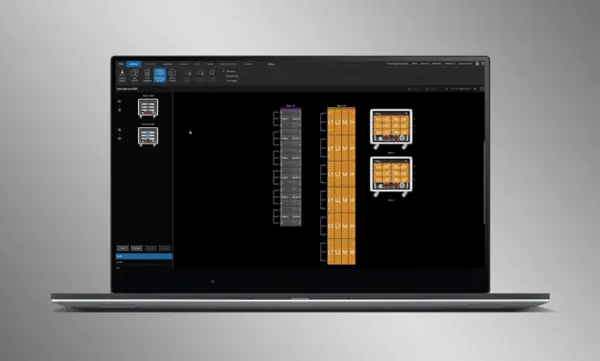
Trực quan kéo và thả các loa JBL Professional và bộ khuếch đại Crown vào các nhóm mảng và kết nối chúng với các bộ khuếch đại. Các chức năng điều khiển được tự động sắp xếp thành các nhóm logic, giúp dễ dàng cấu hình và tối ưu hóa các hệ thống âm thanh JBL.
Hệ Thống Tối Ưu Hóa Nhập Khẩu
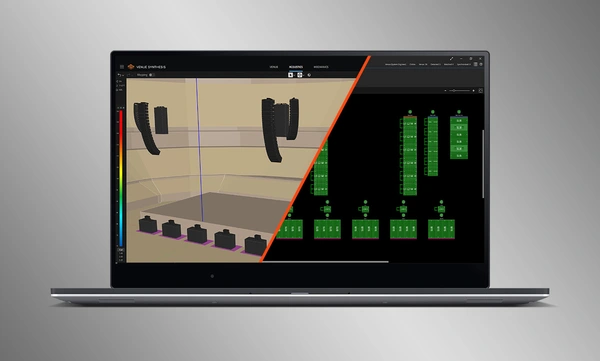
Các thiết kế hệ thống hoàn chỉnh từ Venue Synthesis có thể được nhập trực tiếp vào Performance Manager. Tất cả dữ liệu mảng được nhập bao gồm loại loa, DSP và các thông số mảng. Các thông số được nhập có thể dễ dàng cập nhật nếu có thay đổi được thực hiện đối với tệp được nhập.
Kết Nối và Đồng Bộ Hóa Các Thiết Bị
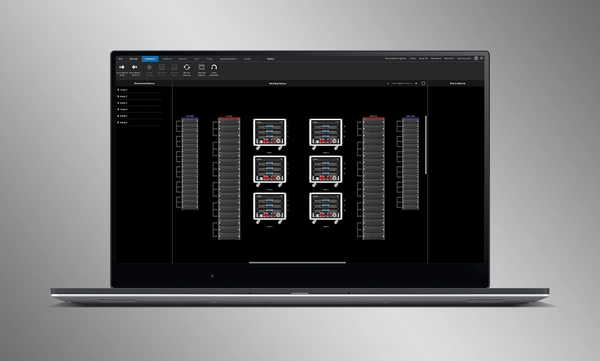
Kéo và thả các bộ khuếch đại mạng lên các phần mềm tương ứng để kết nối và đồng bộ hóa các thiết bị. Tất cả dữ liệu liên quan đến hệ thống, bao gồm cài đặt sẵn loa JBL và các tham số DSP được nhập khẩu sẽ được đồng bộ hóa tự động.
Công cụ Xác minh Hệ thống
Một Chế độ Kiểm tra chuyên dụng cung cấp cho các nhà điều hành các công cụ trực quan để xác minh chức năng của loa theo từng dải tần số và kết nối đầu vào với bộ khuếch đại.
Tối ưu hóa hệ thống trực quan
Performance Manager tự động nhóm các điều khiển DSP thành các nhóm dựa trên mảng hợp lý. Các bộ lọc Calibration và EQ được truy cập thông qua giao diện GUI thẩm mỹ, được tối ưu hóa cho các thiết bị hỗ trợ cảm ứng trên Windows OS. Các bộ lọc Calibration, EQ, Delay và Gain có thể được sửa đổi ở nhiều cấp độ hệ thống, mảng và mạch khác nhau.
Công Cụ Giám Sát Hình Ảnh
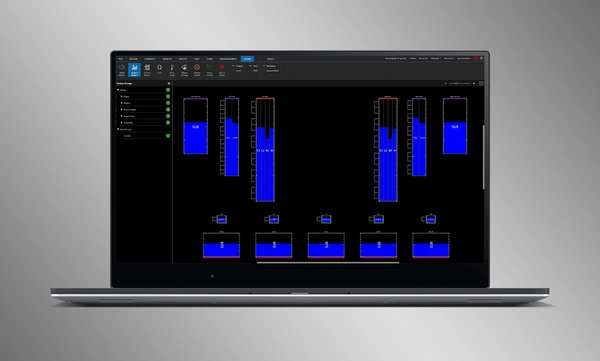
Chế độ Show Mode chuyên dụng hiển thị đồng hồ đo hệ thống độ phân giải cao và dữ liệu viễn thám bộ khuếch đại, được phủ trực tiếp lên biểu diễn đồ họa của hệ thống âm thanh.
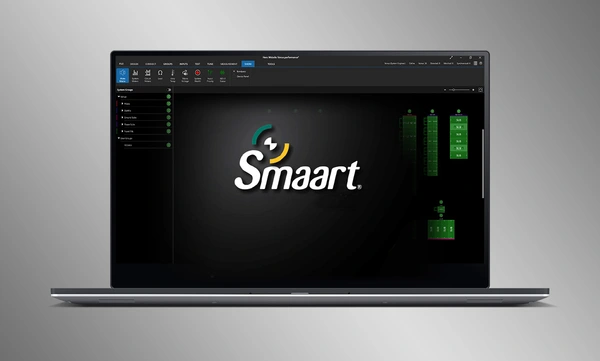
Tích hợp SMAART
Tích hợp với phần mềm kiểm tra và đo lường âm học Smaart® (v7 và v8) của Rational Acoustics cung cấp quyền truy cập chưa từng có vào thông tin đo lường trực tiếp—tất cả được truyền qua mạng trên một màn hình.
Thiết Kế Hệ Thống Kéo và Thả
Trực quan kéo và thả các loa JBL Professional và bộ khuếch đại Crown vào các nhóm mảng và kết nối chúng với các bộ khuếch đại. Các chức năng điều khiển được tự động sắp xếp thành các nhóm logic, giúp dễ dàng cấu hình và tối ưu hóa các hệ thống âm thanh JBL.
Hệ Thống Tối Ưu Hóa Nhập Khẩu
Các thiết kế hệ thống hoàn chỉnh từ Venue Synthesis có thể được nhập trực tiếp vào Performance Manager. Tất cả dữ liệu mảng được nhập bao gồm loại loa, DSP và các thông số mảng. Các thông số được nhập có thể dễ dàng cập nhật nếu có thay đổi được thực hiện đối với tệp được nhập.
Kết Nối và Đồng Bộ Hóa Các Thiết Bị
Kéo và thả các bộ khuếch đại mạng lên các phần mềm tương ứng để kết nối và đồng bộ hóa các thiết bị. Tất cả dữ liệu liên quan đến hệ thống, bao gồm cài đặt sẵn loa JBL và các tham số DSP được nhập khẩu sẽ được đồng bộ hóa tự động.
Công cụ Xác minh Hệ thống
Một Chế độ Kiểm tra chuyên dụng cung cấp cho các nhà điều hành các công cụ trực quan để xác minh chức năng của loa theo từng dải tần số và kết nối đầu vào với bộ khuếch đại.
Tối ưu hóa hệ thống trực quan
Performance Manager tự động nhóm các điều khiển DSP thành các nhóm dựa trên mảng hợp lý. Các bộ lọc Calibration và EQ được truy cập thông qua giao diện GUI thẩm mỹ, được tối ưu hóa cho các thiết bị hỗ trợ cảm ứng trên Windows OS. Các bộ lọc Calibration, EQ, Delay và Gain có thể được sửa đổi ở nhiều cấp độ hệ thống, mảng và mạch khác nhau.
Công Cụ Giám Sát Hình Ảnh
Chế độ Show Mode chuyên dụng hiển thị đồng hồ đo hệ thống độ phân giải cao và dữ liệu viễn thám bộ khuếch đại, được phủ trực tiếp lên biểu diễn đồ họa của hệ thống âm thanh.
Tích hợp SMAART
Tích hợp với phần mềm kiểm tra và đo lường âm học Smaart® (v7 và v8) của Rational Acoustics cung cấp quyền truy cập chưa từng có vào thông tin đo lường trực tiếp—tất cả được truyền qua mạng trên một màn hình.
Các Hệ Thống JBL Được Hỗ Trợ:
Các Hệ Điều Hành Được Hỗ Trợ:
- Các phiên bản 64-bit của Windows 7, Windows 8.1, Windows 10, Windows 11
Hướng Dẫn Hiệu Năng Tối Thiểu:
- CPU: 64 bit dual core @ 2.0GHz hoặc tốt hơn
- Memory: 4GB
Hướng Dẫn Hiệu Năng Tối Ưu:
- CPU: 64 bit dual core @ 2.50 GHz hoặc tốt hơn
- RAM: 8GB hoặc cao hơn
- OS: Windows 7 64-bit hoặc phiên bản mới hơn
- Storage: SSD
Software
| |
Phiên bản |
Kích thước |
Đã tải lên |
|
|
3.2.0
|
100 MB
|
Thg 9 2025
|
Readmes
| |
Phiên bản |
Ngôn ngữ |
Kích thước |
Đã tải lên |
|
|
3.2.0 |
 |
5 MB |
Thg 9 2025 |
Nếu bất kỳ liên kết nào ở trên hiển thị ký tự lạ trong trình duyệt của bạn, vui lòng nhấp chuột phải vào tệp để lưu vào máy tính của bạn.
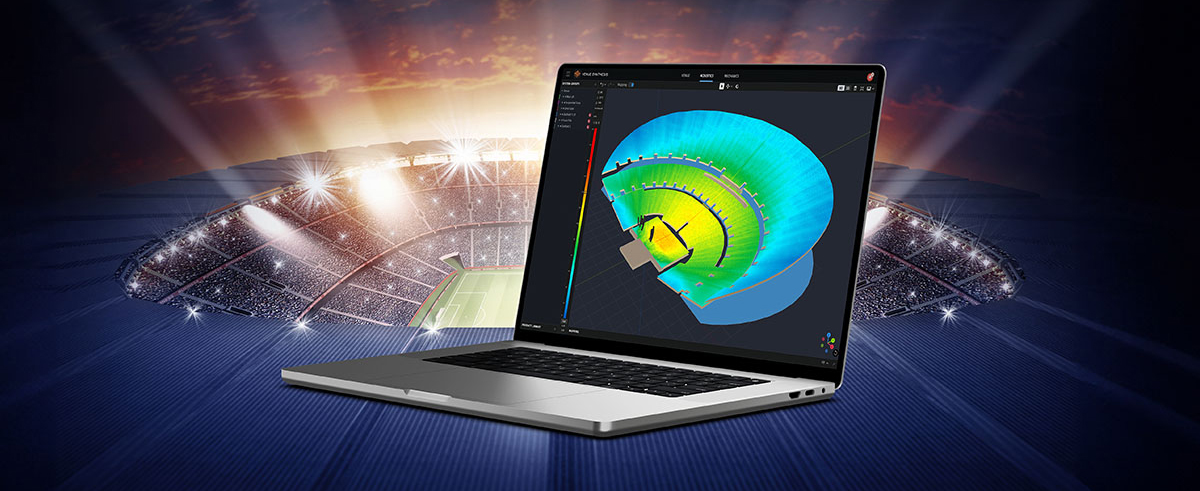
In the ever-evolving world of tour sound design, the need for powerful and user-friendly tools is paramount. JBL Professional’s Venue Synthesis (VS) 3D acoustic simulation software meets those needs with an all-encompassing solution for front-of-house (FOH) engineers and tour managers. To gain deeper insight, we
CONTINUE READING
Identifying the optimal solution for any installed audio project, requires a range of important considerations. Understanding the client’s specific needs and budget constraints is crucial. This involves a thorough analysis of the acoustic environment and the intended application. Secondly, the system design should be carefully
CONTINUE READING
Live entertainment captivates audiences, transcends boundaries and unites fans in a celebration of sound and rhythm. From electrifying music festivals to immersive theatrical productions to enthralling sporting events, the magic of live entertainment relies on the technology driving it to bring performances to life. JBL
CONTINUE READING