Performance Software

Configure & Control Your SRX900 System

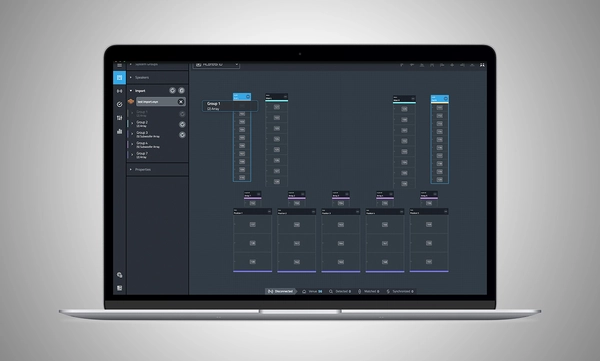
Performance Software animated screenshot

Performance Software logo

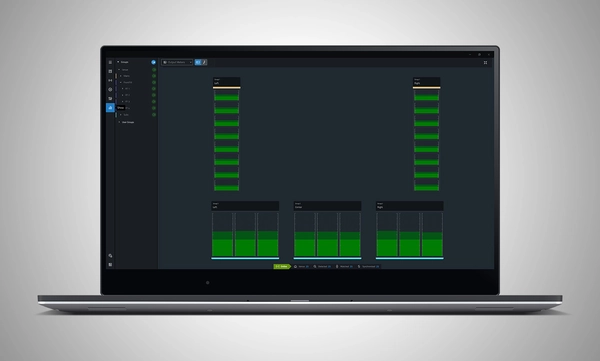
JBL Performance is a comprehensive application designed to control and monitor SRX900 Series sound systems. A workflow-based approach guides the user through the stages of system design, testing, tuning, and monitoring. The intuitive drag-and-drop interface creates system groups that utilize powerful on-device signal processing, including Gain, Delay, EQ, and Array Calibration, simplifying system tuning and optimization. Real-time device testing and monitoring ensure that everything is performing as intended. HControl simplifies the confusing task of managing IP addresses at the venue while operating over standard networking hardware while remaining compatible with Wi-Fi.

Performance is part of a complete software ecosystem. It integrates with other JBL software, including Venue Synthesis and the JBL ArrayLink mobile app for iOS and Android.

Download Performance 1.9.0
Windows MAC Apple iPad


System Design

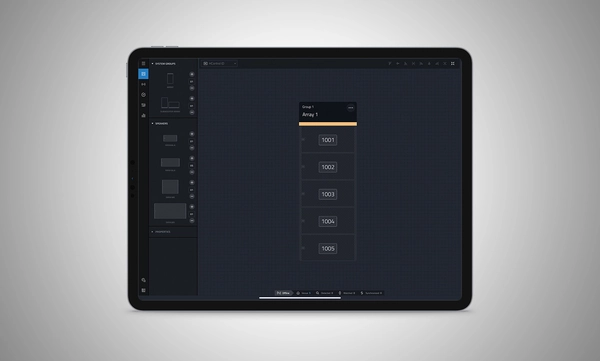
Define a system by dragging and dropping speakers into the workspace to automatically create groups and linked parameters, enabling quick recall of presets and optimization of settings.

Import from Venue Synthesis

Import complete designs from Venue Synthesis including DSP optimizations, such as array size compensation, throw distance compensation, gain, and delay. One-click updates allow changes made in the Venue Synthesis design to be incorporated quickly.

Connect and Deploy

Simplify device connectivity with HControl, a new communications protocol by Harman built for the audio industry. Operating on standard data switches and WiFi routers, easy hardware-software matching is achievable with simple, flexible HControl IDs.

Test and Verify

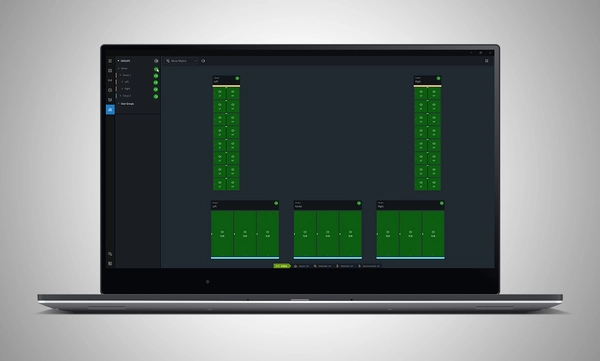
Use the onboard signal generator to verify speaker operation. Real-time meter views provide input and output data, ensuring signals reach their destinations at the proper levels.

Tune and Calibrate

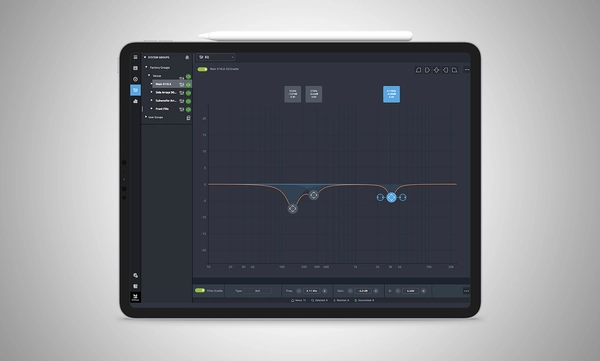
Control the advanced DSP in the SRX900 Series with quick access to speaker settings, delay, gain, EQ, Array Size Compensation, and FIR-based Throw Distance Compensation filters.

Show Mode

Live meter data, real-time amplifier health, temperature, load, and mains voltage are in dedicated views, ensuring the operator's confidence in the system's performance.

Manage Hardware

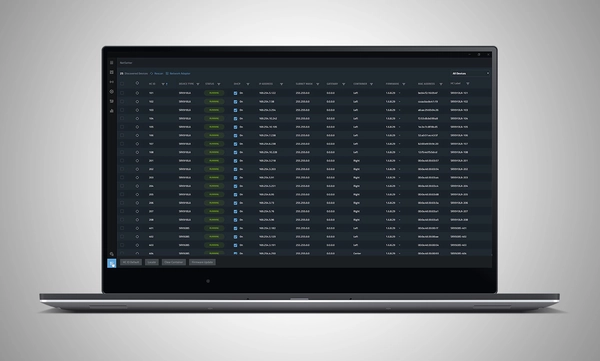
The HControl NetSetter utility integrated into Performance can monitor all connected subnets to identify misconfigured devices, help incorporate them into your network, and update device firmware.

System Design

Define a system by dragging and dropping speakers into the workspace to automatically create groups and linked parameters, enabling quick recall of presets and optimization of settings.

Import from Venue Synthesis

Import complete designs from Venue Synthesis including DSP optimizations, such as array size compensation, throw distance compensation, gain, and delay. One-click updates allow changes made in the Venue Synthesis design to be incorporated quickly.

Connect and Deploy

Simplify device connectivity with HControl, a new communications protocol by Harman built for the audio industry. Operating on standard data switches and WiFi routers, easy hardware-software matching is achievable with simple, flexible HControl IDs.

Test and Verify

Use the onboard signal generator to verify speaker operation. Real-time meter views provide input and output data, ensuring signals reach their destinations at the proper levels.

Tune and Calibrate

Control the advanced DSP in the SRX900 Series with quick access to speaker settings, delay, gain, EQ, Array Size Compensation, and FIR-based Throw Distance Compensation filters.

Show Mode

Live meter data, real-time amplifier health, temperature, load, and mains voltage are in dedicated views, ensuring the operator's confidence in the system's performance.

Manage Hardware

The HControl NetSetter utility integrated into Performance can monitor all connected subnets to identify misconfigured devices, help incorporate them into your network, and update device firmware.

More Details

Supported JBL Devices:

System Requirements:

Supported Operating Systems:

  • Windows 10 and Windows 11.
  • MacOS 13 or later
  • iPadOS 18 or later

Minimum Performance Guidelines:

  • CPU: 64 bit dual core @ 2.0GHz or better
  • RAM: 4GB
  • Internet: Required for Firmware Caching and Software Updates

Optimal Performance Guidelines:

  • Windows
    • CPU: 64 bit multi-core @ 2.50 GHz or better
    • RAM: 8GB or more
    • OS: 64-bit Windows 10 or above
    • Storage: 1 GB
    • Monitor: Resolution of 1080x1920 or more
  • Mac
    • CPU: 64 bit multi-core @ 2.50 GHz or better
    • RAM: 8GB or more
    • Current and previous MacOS version supported
    • Storage: 1 GB
    • Monitor: Resolution of 1080x1920 or more
  • iPad 
    • Current and previous iPadOS version supported
    • Storage: 1 GB

Software Training Videos:

A complete video training series is available to help get started with JBL Performance. 

Watch Here

Previous Versions

Windows

Mac

Downloads

Manuals
  Version Language Size Uploaded
file type icon Performance Software User Manual
en version 8.1.25, updated: Oct 2025
8.1.25  en  41 MB Oct 2025
Software
  Version Size Uploaded
Windows download icon Performance Software (Windows)
version 1.9.0, updated: Mar 2026
1.9.0   165 MB Mar 2026
MacOS download icon Performance Software (MAC)
version 1.9.0, updated: Mar 2026
1.9.0   167 MB Mar 2026
download icon for Performance Software (iPadOS) Performance Software (iPadOS)
released: Mar 2025
  Mar 2025
Changelogs
  Version Size Uploaded
file type icon JBL Performance - Software Changelog
version 1.9.0, updated: Mar 2026
1.9.0  230 KB Mar 2026

If any of the links above result in strange characters in your browser, please right-click the file to save it to your computer.

Parts & Service

Videos


Support/FAQs