Performance Software

Cấu hình & Kiểm soát Hệ thống SRX900 của bạn

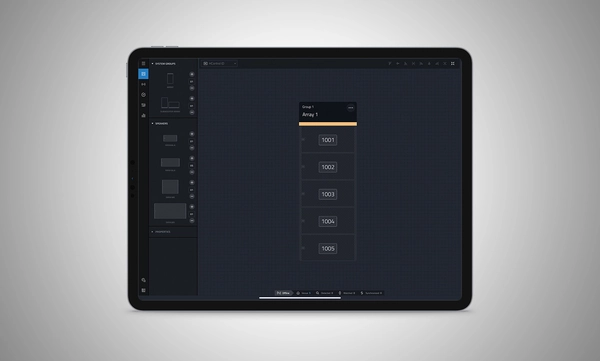
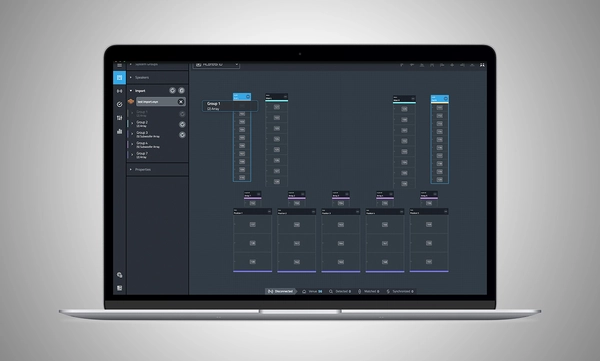
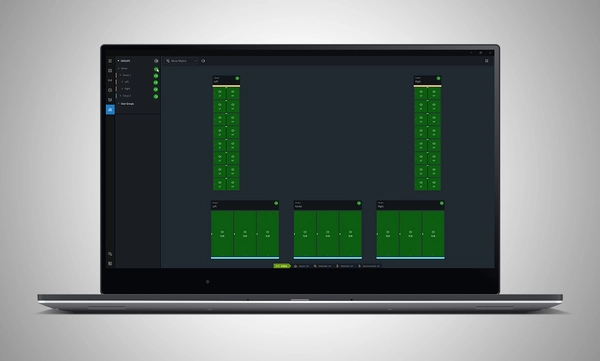
Performance Software animated screenshot

Performance Software logo

JBL Performance là một ứng dụng toàn diện được thiết kế để điều khiển và giám sát các hệ thống âm thanh Dòng SRX900. Phương pháp dựa trên quy trình làm việc hướng dẫn người dùng thông qua các giai đoạn thiết kế hệ thống, kiểm tra, điều chỉnh và giám sát. Giao diện kéo và thả trực quan tạo các nhóm hệ thống sử dụng xử lý tín hiệu mạnh mẽ trên thiết bị, bao gồm Gain, Delay, EQ và Array Calibration, đơn giản hóa điều chỉnh và tối ưu hóa hệ thống. Kiểm tra và giám sát thiết bị theo thời gian thực đảm bảo rằng mọi thứ hoạt động như dự định. HControl đơn giản hóa nhiệm vụ khó khăn là quản lý địa chỉ IP tại địa điểm trong khi hoạt động trên phần cứng mạng tiêu chuẩn đồng thời vẫn tương thích với Wi-Fi.

Performance là một phần của hệ sinh thái phần mềm hoàn chỉnh. Nó tích hợp với các phần mềm JBL khác, bao gồm Venue Synthesis và ứng dụng di động JBL ArrayLink cho iOSAndroid.

Tải Performance 1.9.0

Windows MAC Apple iPad


System Design

Define a system by dragging and dropping speakers into the workspace to automatically create groups and linked parameters, enabling quick recall of presets and optimization of settings.

Import from Venue Synthesis

Import complete designs from Venue Synthesis including DSP optimizations, such as array size compensation, throw distance compensation, gain, and delay. One-click updates allow changes made in the Venue Synthesis design to be incorporated quickly.

Connect and Deploy

Simplify device connectivity with HControl, a new communications protocol by Harman built for the audio industry. Operating on standard data switches and WiFi routers, easy hardware-software matching is achievable with simple, flexible HControl IDs.

Test and Verify

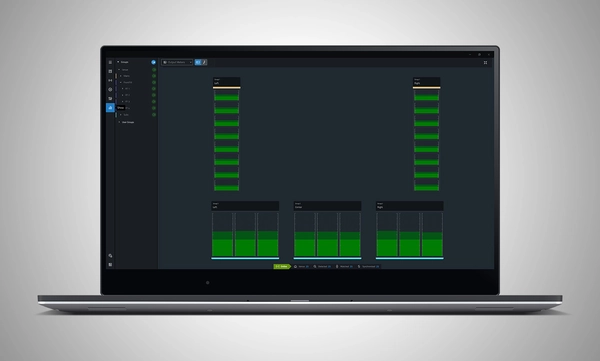
Use the onboard signal generator to verify speaker operation. Real-time meter views provide input and output data, ensuring signals reach their destinations at the proper levels.

Tune and Calibrate

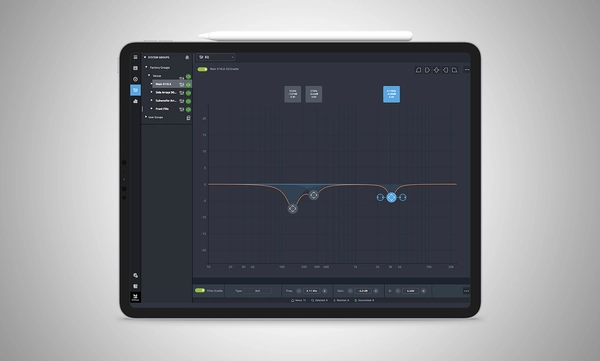
Control the advanced DSP in the SRX900 Series with quick access to speaker settings, delay, gain, EQ, Array Size Compensation, and FIR-based Throw Distance Compensation filters.

Show Mode

Live meter data, real-time amplifier health, temperature, load, and mains voltage are in dedicated views, ensuring the operator's confidence in the system's performance.

Manage Hardware

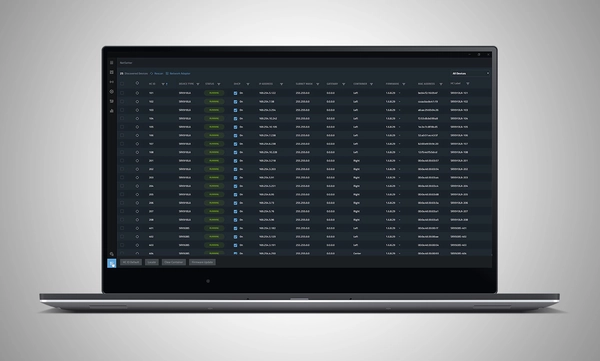
The HControl NetSetter utility integrated into Performance can monitor all connected subnets to identify misconfigured devices, help incorporate them into your network, and update device firmware.

System Design

Define a system by dragging and dropping speakers into the workspace to automatically create groups and linked parameters, enabling quick recall of presets and optimization of settings.

Import from Venue Synthesis

Import complete designs from Venue Synthesis including DSP optimizations, such as array size compensation, throw distance compensation, gain, and delay. One-click updates allow changes made in the Venue Synthesis design to be incorporated quickly.

Connect and Deploy

Simplify device connectivity with HControl, a new communications protocol by Harman built for the audio industry. Operating on standard data switches and WiFi routers, easy hardware-software matching is achievable with simple, flexible HControl IDs.

Test and Verify

Use the onboard signal generator to verify speaker operation. Real-time meter views provide input and output data, ensuring signals reach their destinations at the proper levels.

Tune and Calibrate

Control the advanced DSP in the SRX900 Series with quick access to speaker settings, delay, gain, EQ, Array Size Compensation, and FIR-based Throw Distance Compensation filters.

Show Mode

Live meter data, real-time amplifier health, temperature, load, and mains voltage are in dedicated views, ensuring the operator's confidence in the system's performance.

Manage Hardware

The HControl NetSetter utility integrated into Performance can monitor all connected subnets to identify misconfigured devices, help incorporate them into your network, and update device firmware.

Thêm Chi tiết

Supported JBL Devices:

System Requirements:

Supported Operating Systems:

  • Windows 10 and Windows 11.
  • MacOS 13 or later
  • iPadOS 18 or later

Minimum Performance Guidelines:

  • CPU: 64 bit dual core @ 2.0GHz or better
  • RAM: 4GB
  • Internet: Required for Firmware Caching and Software Updates

Optimal Performance Guidelines:

  • Windows
    • CPU: 64 bit multi-core @ 2.50 GHz or better
    • RAM: 8GB or more
    • OS: 64-bit Windows 10 or above
    • Storage: 1 GB
    • Monitor: Resolution of 1080x1920 or more
  • Mac
    • CPU: 64 bit multi-core @ 2.50 GHz or better
    • RAM: 8GB or more
    • Current and previous MacOS version supported
    • Storage: 1 GB
    • Monitor: Resolution of 1080x1920 or more
  • iPad 
    • Current and previous iPadOS version supported
    • Storage: 1 GB

Software Training Videos:

A complete video training series is available to help get started with JBL Performance. 

Watch Here

Previous Versions

Windows

Mac

Tải xuống

Manuals
  Phiên bản Ngôn ngữ Kích thước Đã tải lên
file type icon Performance Software User Manual
en phiên bản 8.1.25, cập nhật: Thg 10 2025
8.1.25  en  40 MB Thg 10 2025
Software
  Phiên bản Kích thước Đã tải lên
Windows download icon Performance Software (Windows)
phiên bản 1.9.0, cập nhật: Thg 3 2026
1.9.0   200 MB Thg 3 2026
MacOS download icon Performance Software (MAC)
phiên bản 1.9.0, cập nhật: Thg 3 2026
1.9.0   200 MB Thg 3 2026
download icon for Performance Software (iPadOS) Performance Software (iPadOS)
phát hành: Thg 3 2025
  Thg 3 2025
Changelogs
  Phiên bản Kích thước Đã tải lên
file type icon JBL Performance - Software Changelog
phiên bản 1.9.0, cập nhật: Thg 3 2026
1.9.0  200 KB Thg 3 2026

Nếu bất kỳ liên kết nào ở trên hiển thị ký tự lạ trong trình duyệt của bạn, vui lòng nhấp chuột phải vào tệp để lưu vào máy tính của bạn.

Phụ tùng & Dịch vụ

Video


Hỗ trợ/FAQ