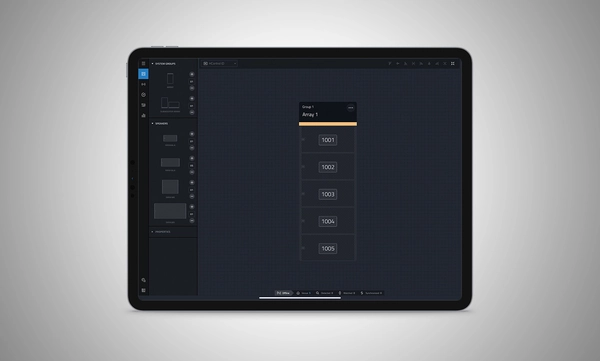
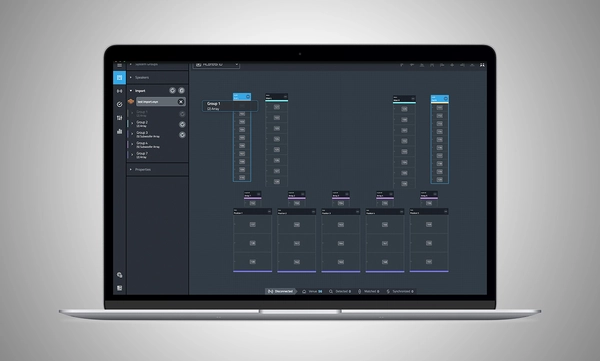
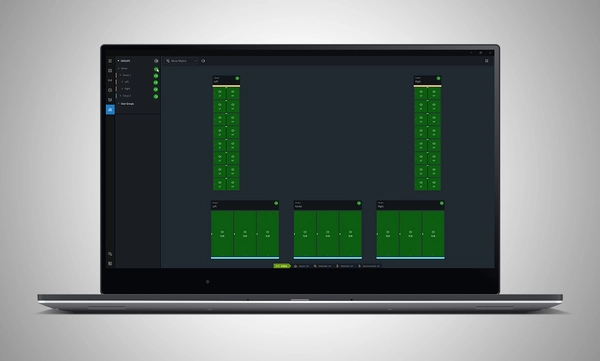
JBL Performance는 SRX900 시리즈 사운드 시스템을 제어하고 모니터링하도록 설계된 종합 애플리케이션입니다. 워크플로 기반 접근 방식은 사용자를 시스템 설계, 테스트, 튜닝 및 모니터링 단계로 안내합니다. 직관적인 드래그 앤 드롭 인터페이스는 강력한 온디바이스 신호 처리(Gain, Delay, EQ, Array Calibration 포함)를 활용하는 시스템 그룹을 생성하여 시스템 튜닝과 최적화를 단순화합니다. 실시간 장치 테스트 및 모니터링은 모든 것이 의도한 대로 작동하도록 보장합니다. HControl은 표준 네트워킹 하드웨어를 통해 작동하면서 Wi-Fi와 호환되는 동시에 현장에서 IP 주소를 관리하는 복잡한 작업을 단순화합니다.
Performance는 완전한 소프트웨어 생태계의 일부입니다. Venue Synthesis 및 iOS와 Android용 JBL ArrayLink 모바일 앱을 포함한 다른 JBL 소프트웨어와 통합됩니다.
Performance 1.10.0 다운로드
Windows MAC Apple iPad
시스템 설계
작업 공간에 스피커를 드래그 앤 드롭하여 시스템을 정의하면 그룹과 연결된 매개변수가 자동으로 생성되어 프리셋을 빠르게 불러오고 설정을 최적화할 수 있습니다.
Venue Synthesis에서 가져오기
어레이 크기 보정, 투사 거리 보정, 게인, 딜레이 등 DSP 최적화를 포함한 완전한 설계를 Venue Synthesis에서 가져옵니다. 원클릭 업데이트를 통해 Venue Synthesis 설계에서 변경된 사항을 신속하게 반영할 수 있습니다.
연결 및 배포
Harman이 오디오 산업을 위해 개발한 새로운 통신 프로토콜인 HControl로 장치 연결을 간소화합니다. 표준 데이터 스위치 및 WiFi 라우터에서 작동하며, 간단하고 유연한 HControl ID를 통해 손쉬운 하드웨어-소프트웨어 매칭이 가능합니다.
테스트 및 확인
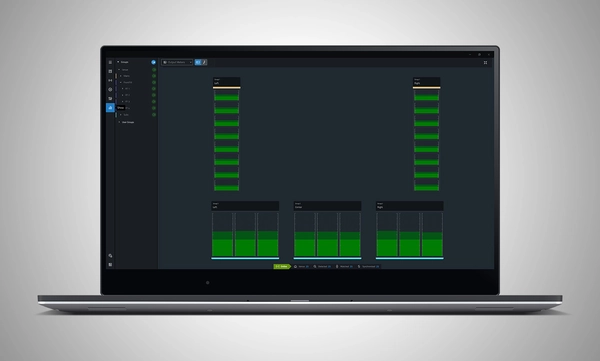
내장 신호 발생기를 사용하여 스피커 작동을 확인합니다. 실시간 미터 보기는 입력 및 출력 데이터를 제공하여 신호가 적절한 레벨로 목적지에 도달하는지 확인합니다.
조정 및 캘리브레이션
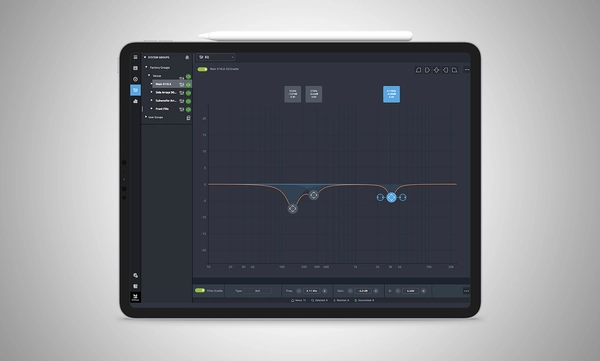
스피커 설정, 딜레이, 게인, EQ, 어레이 사이즈 보정, FIR 기반 투사 거리 보정 필터에 빠르게 액세스하여 SRX900 시리즈의 고급 DSP를 제어합니다.
쇼 모드
라이브 미터 데이터, 실시간 앰프 상태, 온도, 부하 및 주전원 전압을 전용 화면에서 확인할 수 있어 시스템 성능에 대한 운영자의 신뢰를 보장합니다.
하드웨어 관리
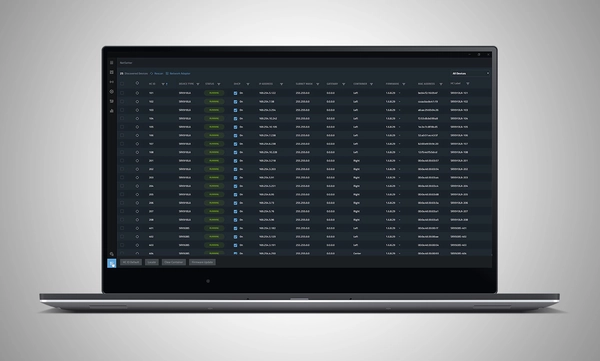
Performance에 통합된 HControl NetSetter 유틸리티는 연결된 모든 서브넷을 모니터링하여 잘못 구성된 장치를 식별하고, 네트워크에 통합하며, 장치 펌웨어를 업데이트합니다.
시스템 설계
작업 공간에 스피커를 드래그 앤 드롭하여 시스템을 정의하면 그룹과 연결된 매개변수가 자동으로 생성되어 프리셋을 빠르게 불러오고 설정을 최적화할 수 있습니다.
Venue Synthesis에서 가져오기
어레이 크기 보정, 투사 거리 보정, 게인, 딜레이 등 DSP 최적화를 포함한 완전한 설계를 Venue Synthesis에서 가져옵니다. 원클릭 업데이트를 통해 Venue Synthesis 설계에서 변경된 사항을 신속하게 반영할 수 있습니다.
연결 및 배포
Harman이 오디오 산업을 위해 개발한 새로운 통신 프로토콜인 HControl로 장치 연결을 간소화합니다. 표준 데이터 스위치 및 WiFi 라우터에서 작동하며, 간단하고 유연한 HControl ID를 통해 손쉬운 하드웨어-소프트웨어 매칭이 가능합니다.
테스트 및 확인
내장 신호 발생기를 사용하여 스피커 작동을 확인합니다. 실시간 미터 보기는 입력 및 출력 데이터를 제공하여 신호가 적절한 레벨로 목적지에 도달하는지 확인합니다.
조정 및 캘리브레이션
스피커 설정, 딜레이, 게인, EQ, 어레이 사이즈 보정, FIR 기반 투사 거리 보정 필터에 빠르게 액세스하여 SRX900 시리즈의 고급 DSP를 제어합니다.
쇼 모드
라이브 미터 데이터, 실시간 앰프 상태, 온도, 부하 및 주전원 전압을 전용 화면에서 확인할 수 있어 시스템 성능에 대한 운영자의 신뢰를 보장합니다.
하드웨어 관리
Performance에 통합된 HControl NetSetter 유틸리티는 연결된 모든 서브넷을 모니터링하여 잘못 구성된 장치를 식별하고, 네트워크에 통합하며, 장치 펌웨어를 업데이트합니다.
지원되는 JBL 기기:
시스템 요구 사항:
지원되는 운영 체제:
-
Windows 10 및 Windows 11.
-
MacOS 13 이상
-
iPadOS 18 이상
최소 성능 요구 사항:
최적 성능 요구 사항:
-
Windows
- CPU: 64비트 멀티 코어 @ 2.50 GHz 이상
- RAM: 8GB 이상
- OS: 64비트 Windows 10 이상
- 저장 공간: 1 GB
- 모니터: 1080x1920 이상의 해상도
-
Mac
- CPU: 64비트 멀티 코어 @ 2.50 GHz 이상
- RAM: 8GB 이상
- 현재 및 이전 MacOS 버전 지원
- 저장 공간: 1 GB
- 모니터: 1080x1920 이상의 해상도
-
iPad
-
현재 및 이전 iPadOS 버전 지원
-
저장 공간: 1 GB
소프트웨어 교육 영상:
JBL Performance 시작을 돕는 전체 영상 교육 시리즈를 이용하실 수 있습니다.
영상 보기
이전 버전
Windows
Mac
Manuals
| |
버전 |
언어 |
크기 |
업로드됨 |
|
|
7.8.26.1 |
 |
50MB
|
2026년 7월월 |
Software
| |
버전 |
크기 |
업로드됨 |
|
|
1.10.0
|
174MB
|
2026년 7월월
|
|
|
1.10.0
|
194MB
|
2026년 7월월
|
|
|
|
|
2025년 3월월
|
Changelogs
| |
버전 |
크기 |
업로드됨 |
|
|
1.10.0 |
197KB |
2026년 7월월 |
위의 링크 중 하나에서 브라우저에 이상한 문자가 표시되면, 파일을 마우스 오른쪽 버튼으로 클릭하여 컴퓨터에 저장하십시오.
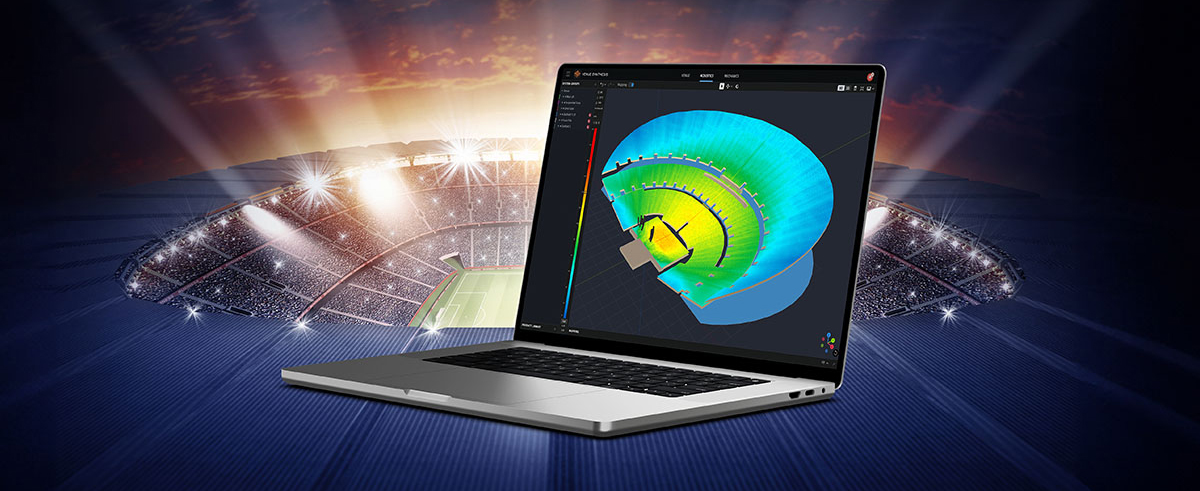
In the ever-evolving world of tour sound design, the need for powerful and user-friendly tools is paramount. JBL Professional’s Venue Synthesis (VS) 3D acoustic simulation software meets those needs with an all-encompassing solution for front-of-house (FOH) engineers and tour managers. To gain deeper insight, we
CONTINUE READING