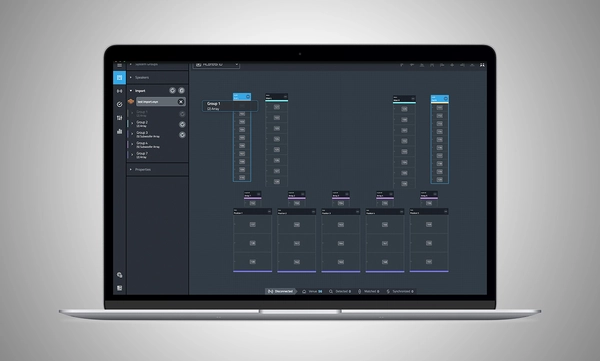
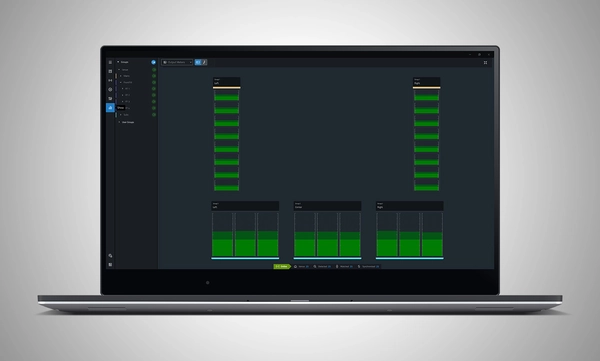
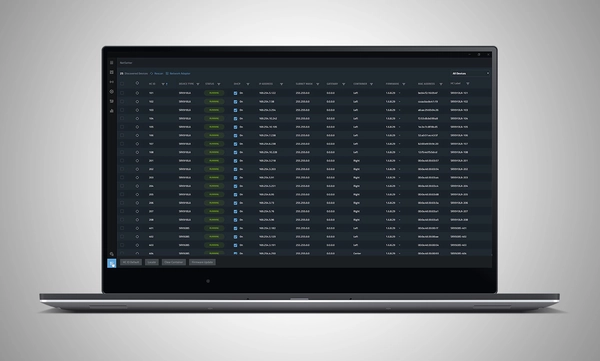
JBL Performance هو تطبيق شامل مصمم للتحكم في أنظمة الصوت من سلسلة SRX900 ومراقبتها. يوجّه النهج القائم على سير العمل المستخدم عبر مراحل تصميم النظام واختباره وضبطه ومراقبته. تنشئ واجهة السحب والإفلات البديهية مجموعات أنظمة تستفيد من معالجة الإشارات القوية داخل الجهاز، بما في ذلك Gain وDelay وEQ ومعايرة المصفوفة، مما يبسّط ضبط النظام وتحسينه. يضمن اختبار الأجهزة ومراقبتها في الوقت الفعلي أن يعمل كل شيء على النحو المنشود. ويبسّط HControl مهمة إدارة عناوين IP المربكة في المكان، مع التشغيل عبر معدات الشبكات القياسية والبقاء متوافقًا مع Wi-Fi.
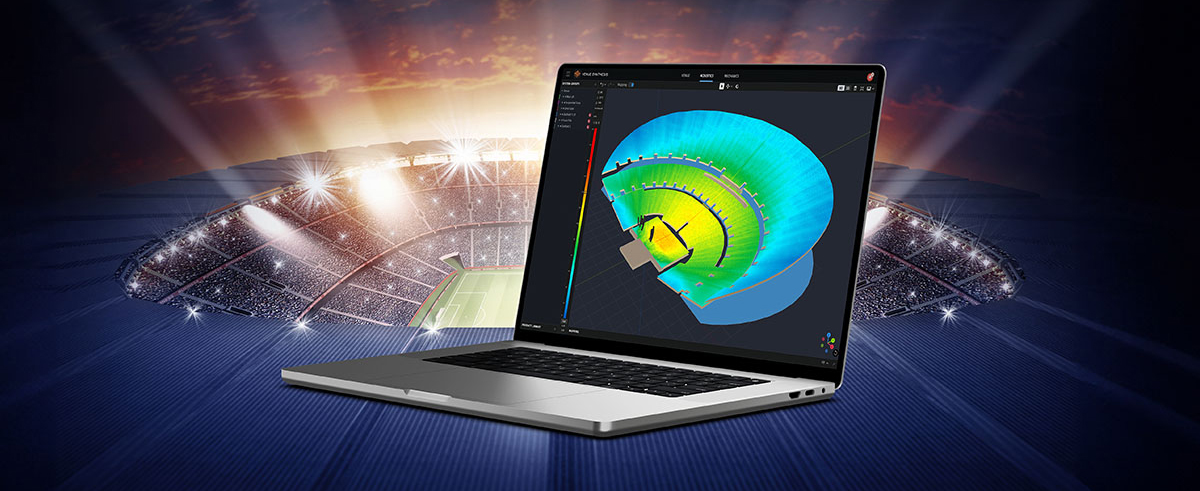
Performance جزء من منظومة برمجية متكاملة، فهو يتكامل مع برمجيات JBL الأخرى، بما في ذلك Venue Synthesis وتطبيق ArrayLink للهواتف المحمولة من JBL لنظامي iOS وAndroid.
تنزيل Performance 1.10.0
Windows MAC Apple iPad
System Design
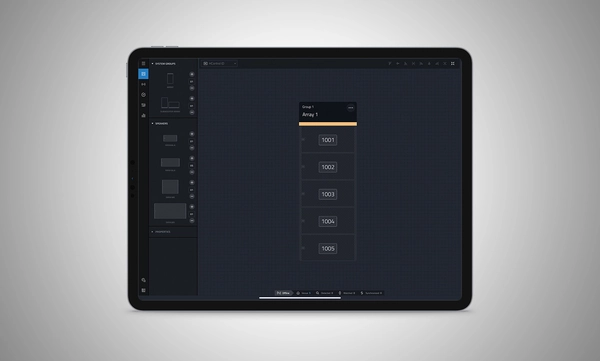
Define a system by dragging and dropping speakers into the workspace to automatically create groups and linked parameters, enabling quick recall of presets and optimization of settings.
Import from Venue Synthesis
Import complete designs from Venue Synthesis including DSP optimizations, such as array size compensation, throw distance compensation, gain, and delay. One-click updates allow changes made in the Venue Synthesis design to be incorporated quickly.
Connect and Deploy
Simplify device connectivity with HControl, a new communications protocol by Harman built for the audio industry. Operating on standard data switches and WiFi routers, easy hardware-software matching is achievable with simple, flexible HControl IDs.
Test and Verify
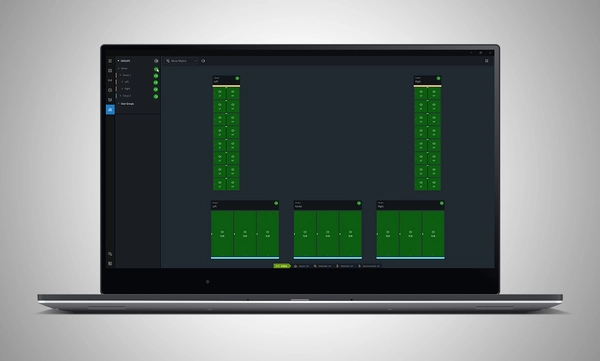
Use the onboard signal generator to verify speaker operation. Real-time meter views provide input and output data, ensuring signals reach their destinations at the proper levels.
Tune and Calibrate
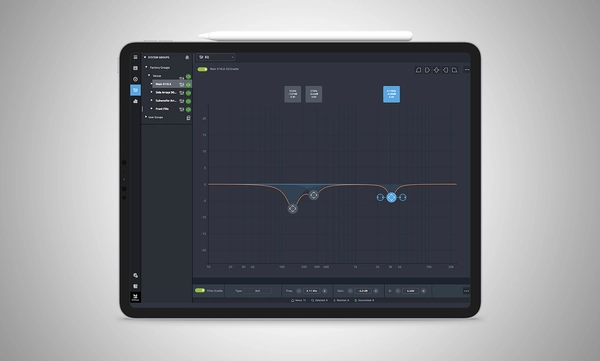
Control the advanced DSP in the SRX900 Series with quick access to speaker settings, delay, gain, EQ, Array Size Compensation, and FIR-based Throw Distance Compensation filters.
Show Mode
Live meter data, real-time amplifier health, temperature, load, and mains voltage are in dedicated views, ensuring the operator's confidence in the system's performance.
```html
إدارة الأجهزة
توفر أداة HControl NetSetter المدمجة في Performance إمكانية مراقبة جميع الشبكات الفرعية المتصلة لتحديد الأجهزة غير المُعدَّلة بشكل صحيح، والمساعدة في دمجها في شبكتك، وتحديث البرنامج الثابت للجهاز.
```
System Design
Define a system by dragging and dropping speakers into the workspace to automatically create groups and linked parameters, enabling quick recall of presets and optimization of settings.
Import from Venue Synthesis
Import complete designs from Venue Synthesis including DSP optimizations, such as array size compensation, throw distance compensation, gain, and delay. One-click updates allow changes made in the Venue Synthesis design to be incorporated quickly.
Connect and Deploy
Simplify device connectivity with HControl, a new communications protocol by Harman built for the audio industry. Operating on standard data switches and WiFi routers, easy hardware-software matching is achievable with simple, flexible HControl IDs.
Test and Verify
Use the onboard signal generator to verify speaker operation. Real-time meter views provide input and output data, ensuring signals reach their destinations at the proper levels.
Tune and Calibrate
Control the advanced DSP in the SRX900 Series with quick access to speaker settings, delay, gain, EQ, Array Size Compensation, and FIR-based Throw Distance Compensation filters.
Show Mode
Live meter data, real-time amplifier health, temperature, load, and mains voltage are in dedicated views, ensuring the operator's confidence in the system's performance.
```html
إدارة الأجهزة
توفر أداة HControl NetSetter المدمجة في Performance إمكانية مراقبة جميع الشبكات الفرعية المتصلة لتحديد الأجهزة غير المُعدَّلة بشكل صحيح، والمساعدة في دمجها في شبكتك، وتحديث البرنامج الثابت للجهاز.
```
Supported JBL Devices:
System Requirements:
Supported Operating Systems:
Minimum Performance Guidelines:
Optimal Performance Guidelines:
-
Windows
- CPU: 64 bit multi-core @ 2.50 GHz or better
- RAM: 8GB or more
- OS: 64-bit Windows 10 or above
- Storage: 1 GB
- Monitor: Resolution of 1080x1920 or more
-
Mac
- CPU: 64 bit multi-core @ 2.50 GHz or better
- RAM: 8GB or more
- Current and previous MacOS version supported
- Storage: 1 GB
- Monitor: Resolution of 1080x1920 or more
-
iPad
Software Training Videos:
A complete video training series is available to help get started with JBL Performance.
Watch Here
Previous Versions
Windows
Mac
Manuals
| |
الإصدار |
اللغة |
الحجم |
تاريخ التحميل |
|
|
7.8.26.1 |
|
50 MB
|
يوليو 2026 |
Software
| |
الإصدار |
الحجم |
تاريخ التحميل |
|
|
1.10.0
|
174 MB
|
يوليو 2026
|
|
|
1.10.0
|
194 MB
|
يوليو 2026
|
|
|
|
|
مارس 2025
|
Changelogs
| |
الإصدار |
الحجم |
تاريخ التحميل |
|
|
1.10.0 |
197 KB |
يوليو 2026 |
إذا أدت أي من الروابط أعلاه إلى أحرف غريبة في متصفحك، يرجى النقر بزر الماوس الأيمن على الملف لحفظه على جهاز الكمبيوتر الخاص بك.
In the ever-evolving world of tour sound design, the need for powerful and user-friendly tools is paramount. JBL Professional’s Venue Synthesis (VS) 3D acoustic simulation software meets those needs with an all-encompassing solution for front-of-house (FOH) engineers and tour managers. To gain deeper insight, we
CONTINUE READING