
Amplifier Health
The Amplifier Health System View is available in Show Mode and aggregates all fault conditions that can occur in an amplifier to a single, easy to understand view overlaid on the devices in the Workspace.
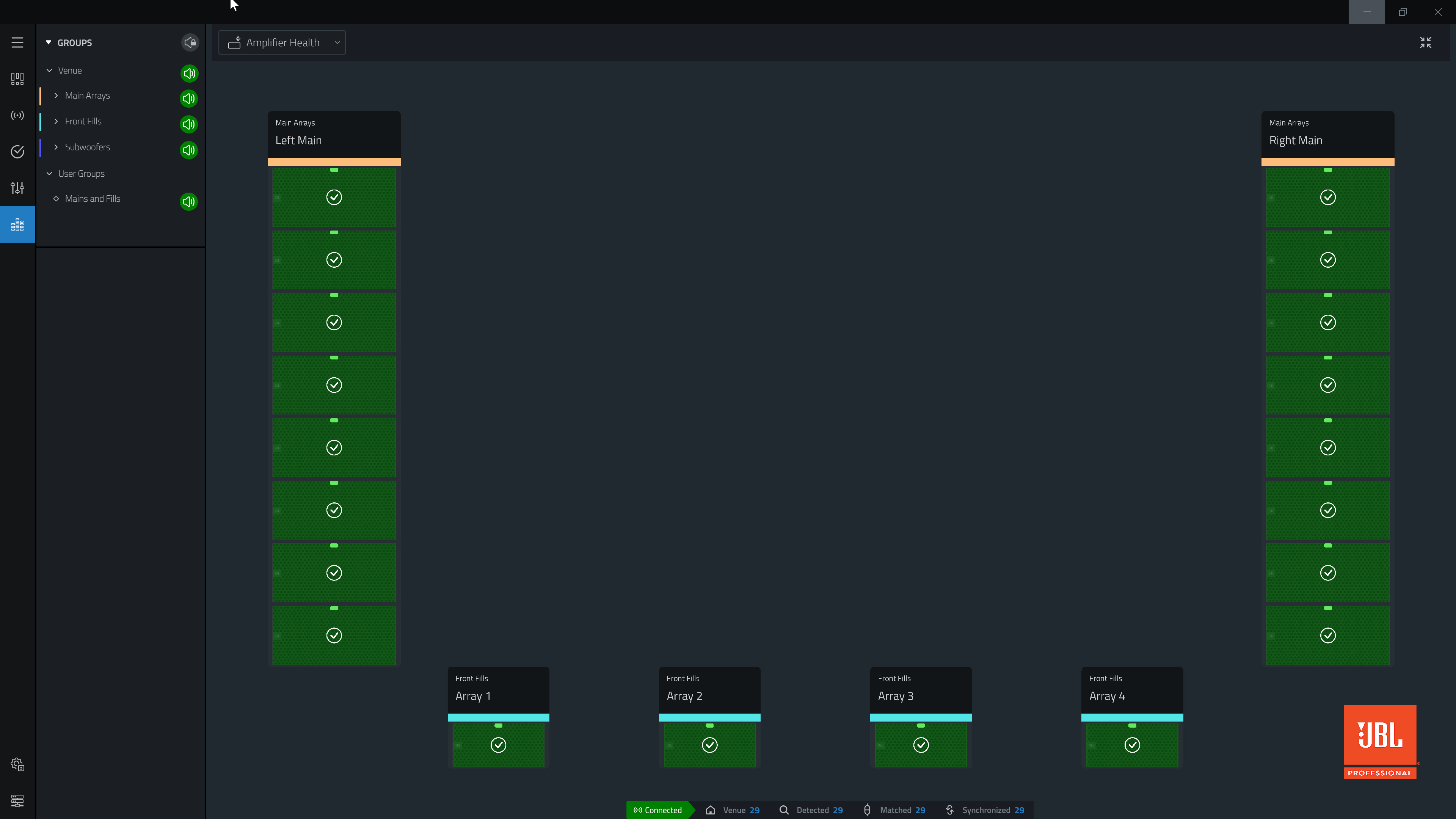
Amplifier Health States
| Speaker Icon | Groups Panel Icon | Amplifier Status |
|---|---|---|

|

|
Status normal, no errors reported. |

|

|
Fault status, hover mouse over device for current mains voltage, thermal state and fault conditions. Device will not produce audio in fault state. |

|

|
No status reported, amplifier not connected. |
Additional Health Information
Clicking any device will provide additional information in a pop out.
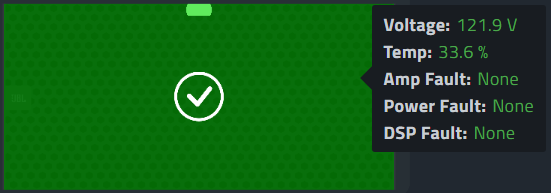
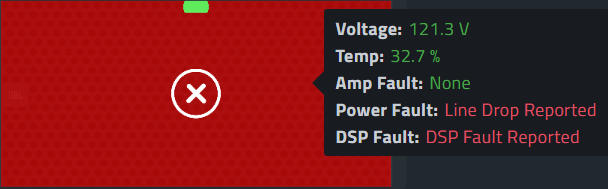
The Health state is an aggregated status of the following:
| Parameter | Description |
|---|---|
| Voltage | Derived from the Voltage System View. |
| Temperature | Derived from the Temperature System View. |
| Amp Fault | Derived from monitoring the fault status of the amplifier hardware. Amplifier fault can be triggered from various issues including the power supply, temperature, DC detect, short circuit detection and more. |
| Power Fault | Will show "Line Drop Reported" when the device detects that there has been a power interruption long enough for the CPU to reboot. A Power Fault indicates the system rebooted. |
| DSP Fault | "DSP Fault Reported" is shown when a rapid power drop occurs that is long enough to cause the DSP to reboot, but not long enough to reboot the rest of the system. When a DSP fault is detected, the DSP is rapidly rebooted, causing a momentary audio drop. |
Clearing a fault:
If the fault condition is due to Temperature, Voltage or a General Amplifier Fault, the fault condition will clear automatically when the voltage, temperature or fault condition is restored.
If the fault is caused by momentary issues like a DSP fault or a Power Fault, after clicking on the device to inspect the pop-out, click off the device into the Workspace to clear the fault.
If a DSP or Power Fault occurs, the "Clear All Faults" button will clear all DSP and Power faults at the same time.

When Connected, if a DSP or Power Fault is detected, a message is displayed at the top of the Workspace with a shortcut to get to the Amplifier Health view.

The power conditions detected by Power and DSP faults can occur very quickly and compromise the system stability. If either of these messages are seen, inspect the power quality and cabling.
What can cause a Power Fault?
Power loss for a device that is Connected. This can be intentional such as someone unplugged they system or flipped a breaker, or unintentional, such as a cable was loose or an audience member disconnected the power to a device by accident. In both cases, a power drop would be detected and an alert is given.
Momentary power drop. A loss in quality power causes the device to reboot. This can be caused by poor power conditions. Examples include brown outs, a bad contact in a power cable, an undersized generator, or a generator that is in "Eco Mode".
What can cause a DSP Fault?
Poor power conditions. Examples include rapid black or brown outs, a bad contact in a power cable, an undersized generator, or a generator that is in "Eco Mode".
Momentary power drop. A rapid, momentary loss in power lasting less than 120 ms.
