
Temperature View
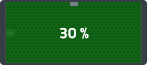
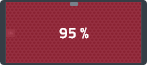
The Temperature view shows the real-time reported temperature for each device in terms of thermal headroom. Each device's thermal capabilities could be different in absolute terms so the % remaining before thermal fault is displayed. A value of 100% would mean the device has entered a thermal fault and has stopped working to allow the device to cool down to a safe temperature. The color state of each device is determined by the reported value and the state is indicated by a simple red, yellow or green color.

Temperature States
| Speaker Indicator | Groups Indicator | Color | Description |
|---|---|---|---|
|

|
Green | Temperature is within the device's normal operating limits. |

|

|
Yellow | Temperature is approaching 80-90% of the limit and may begin limiting performance to avoid thermal shutdown. |
|

|
Red | Temperature has reached 90% and is close to exceeding the safe operating range. As the device approaches 100%, it will enter a thermal shutdown to protect itself. |
|

|
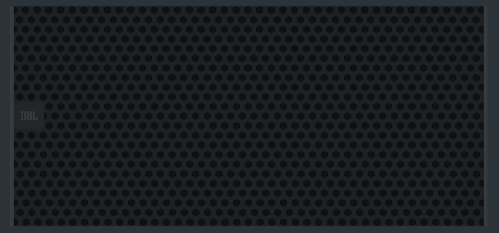
Grey | No data is available. If a device is not in sync, it can not show any data. |
