
|
Main MenuIn the main menu, standard file operations and application level tools are available. |
Windows and Mac
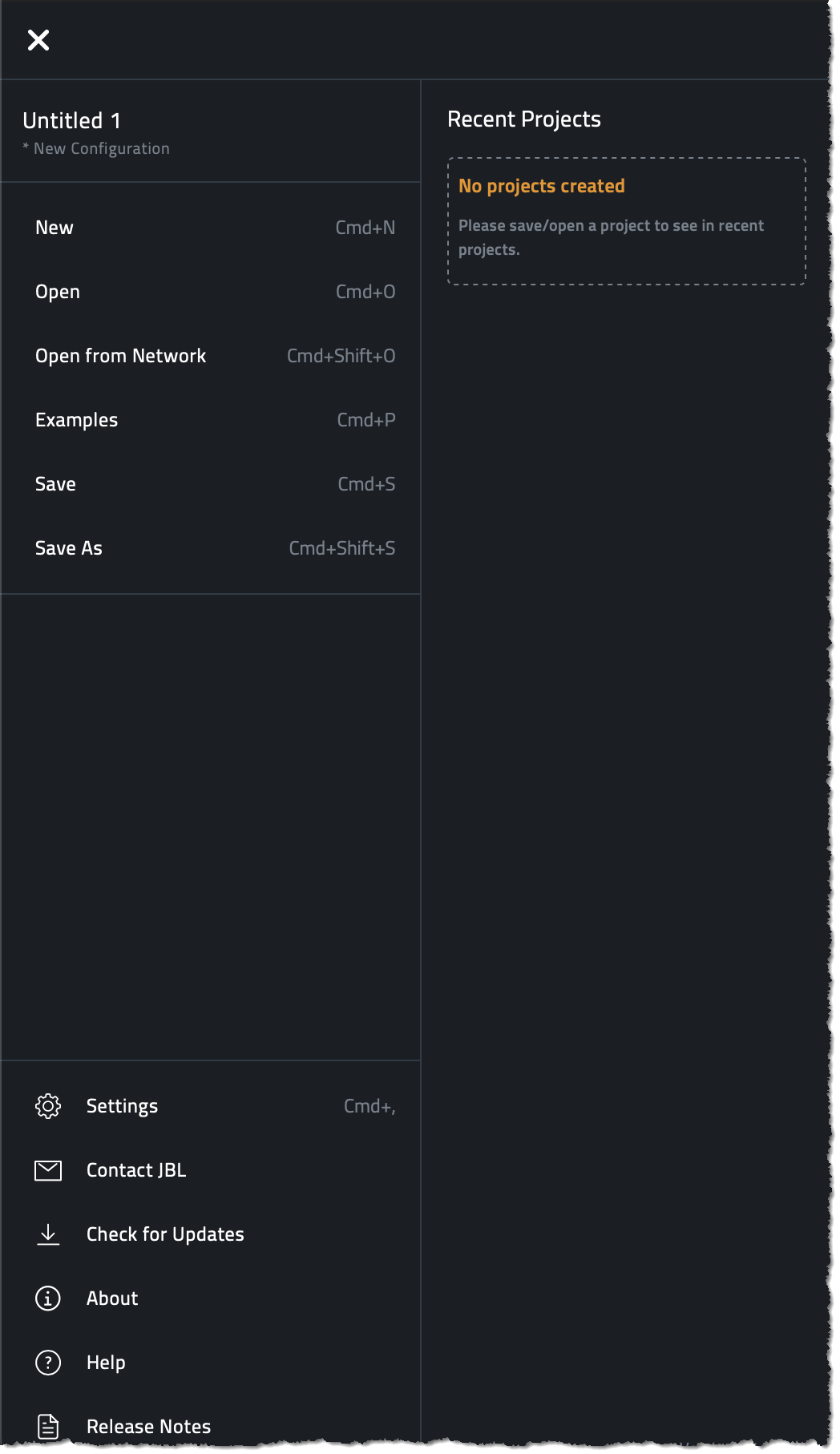
| Menu Item | Function |
|---|---|
| New | Creates a new file. |
| Open | Opens a file using the standard OS dialog. |
| Open from Network | Open a file saved to the memory of discovered devices on the network. |
| Examples | Opens a folder with example files to help demonstrate best practices and aid in training. |
| Close | Exits the software. |
| Save | Saves the file using the standard OS dialog. |
| Save As | Does a typical Save As operation using the standard OS dialog. The file saved will continue to be operated on. |
| Settings | This is where application settings like network, units and environmental conditions can be set. |
| Contact | For additional support with JBL products, this will take you to the appropriate place on the JBL website. |
| Check for Updates | If internet is available, Performance will download any Software or Firmware Updates. |
| About | Shows the app version, cached firmware files, and app related information. |
| Help | Opens this software help file. |
iPad OS
Some items in this menu are optimized for the iOS experience.

| Menu Item | Function |
|---|---|
| New | This will create a new file. It is not saved by default. |
| Import and Open | This will use the iPad OS file browser to choose a file. If the file is located outside the application sandbox, it will be first copied to the application sandbox and then the copied file will be opened. |
| Open from Network | Open a file saved to the memory of discovered devices on the network. |
| Examples | Opens a folder with example venue files to demonstrate best practices and aid in training. |
| Save | This operation will save the file into the application sandbox. |
| Share | This operation opens the iOS Share dialog. This is similar to a Save As but after the operation, the application will continue to operate on the existing file, not the one that was exported. |
| Settings | This is where application settings like network, units and environmental conditions can be set |
| Contact | For additional support with JBL products, this will take you to the appropriate place on the JBL website. |
| Check for Updates | If internet is available, Performance will download any Software or Firmware Updates. |
| About | Shows the app version, cached Firmware Files and app related information |
| Help | Opens this software help file. |
iPad OS Projects List
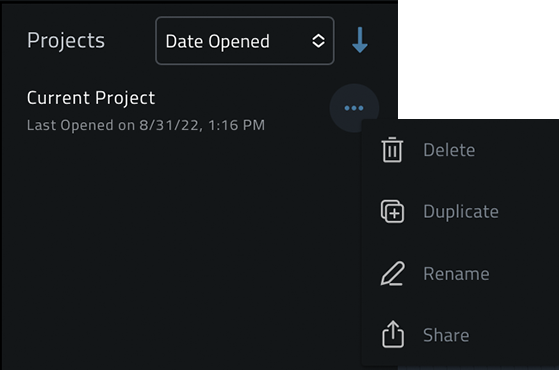
In the iPad OS version, the Projects section shows all projects that are in the application’s sandboxed directory, regardless if they have even recently opened. Each file in the list has a menu that allows the file to be Duplicated, Deleted, Renamed or Shared from the storage location.
Access the file menu by clicking the  button next to the file.
Application File Auto-Recovery
The application automatically saves a temporary version of the Venue File in the background whenever any change is made. If the application happens to crash before the user saves changes to the actual Venue File, it will detect this temporary file and give the option to recover from it.
