Performance Manager

Configure & Control Audio Systems

JBL Performance Manager

Performance Manager streamlines the deployment and operation of JBL and Crown networked audio systems for live events, reducing design time, simplifying networking, and automating control setup. Its patented interface guides technicians through system deployment and optimization step-by-step, greatly simplifying the configuration process.

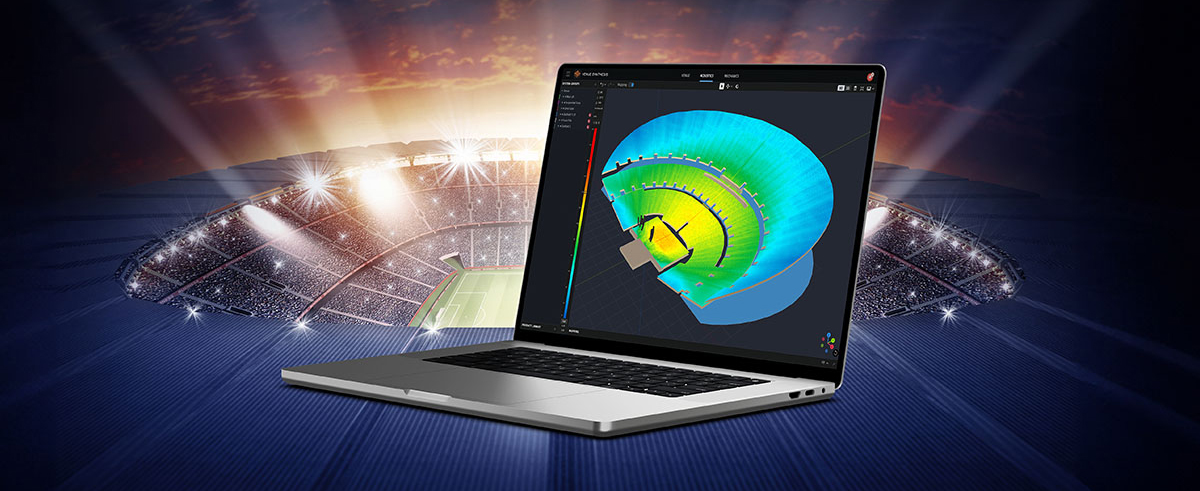
Performance Manager is part of a comprehensive software ecosystem which includes JBL’s Venue Synthesis 3D Acoustic Simulation Software, and the ArrayLink mobile companion app. Together these applications take operators from system design phase to deployment in no time.

Download Performance Manager
Windows

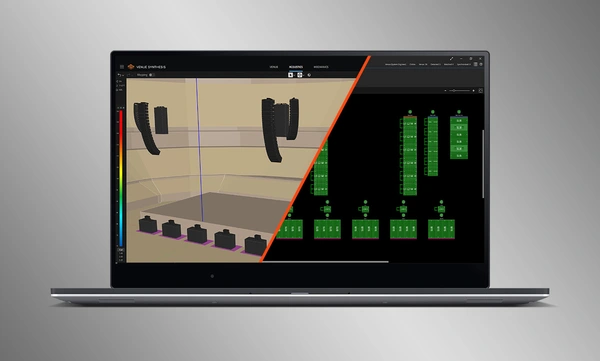
Design de Sistema com Arrastar e Largar

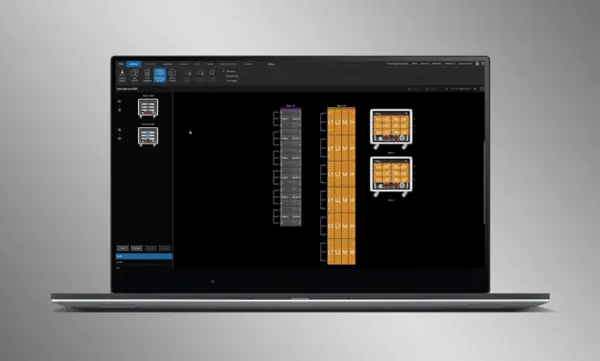
Arraste e largue visualmente colunas JBL Professional e amplificadores Crown em grupos de conjuntos e conecte-os aos amplificadores. As funções de controlo são automaticamente organizadas em grupos lógicos, facilitando a configuração e otimização de sistemas de som JBL.

Import Optimized Systems

Complete system designs from Venue Synthesis can be directly imported into Performance Manager. All array data is imported including speaker type, DSP, and array parameters. Imported parameters can be easily updated if a change is made to the imported file.

Connect and Synchronize Devices

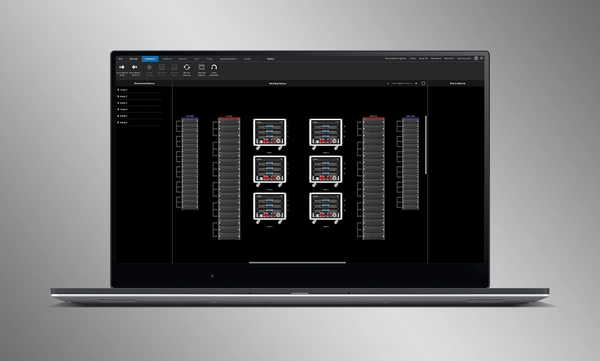
Drag and drop networked amplifiers onto their software counterparts to connect and synchronize devices. All system related data, including JBL speaker preset and imported DSP parameters are automatically synchronized.

System Verification Tools

A dedicated Test Mode provides operators with intuitive tools to verify per-bandpass speaker functionality and input patching to amplifiers.

Intuitive System Optimization

Performance Manager automatically groups DSP controls into logical array-based groups. Calibration and EQ filters are accessed through a visually-pleasing GUI, optimized for Windows OS touch-enabled devices. Calibration filters, EQ, Delay, and Gain can all be modified at various system, array and circuit levels.

Ferramentas de Monitorização Visual

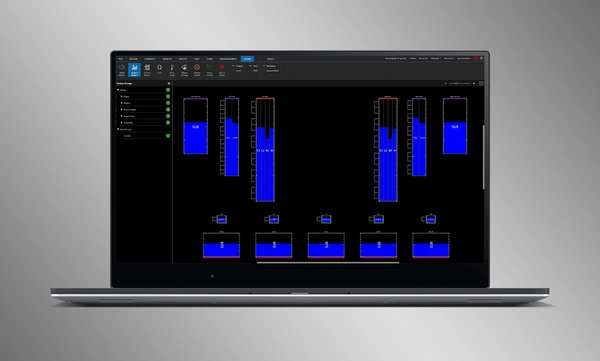
O Show Mode dedicado apresenta medições de alta resolução do sistema e telemetria do amplificador, sobrepostas directamente na representação gráfica do sistema de áudio.

SMAART Integration

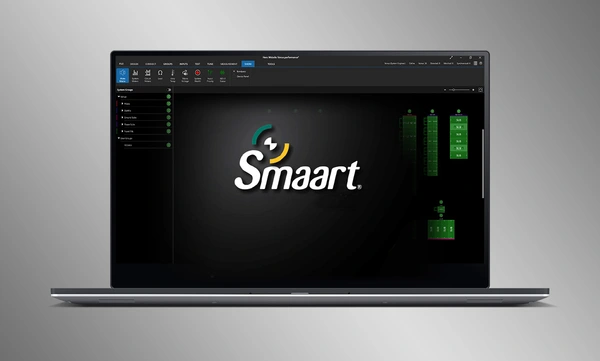
Integration with Rational Acoustics' Smaart® (v7 and v8) acoustic testing and measurement software provides unprecedented access to live measurement information—all delivered over the network on one screen.

Design de Sistema com Arrastar e Largar

Arraste e largue visualmente colunas JBL Professional e amplificadores Crown em grupos de conjuntos e conecte-os aos amplificadores. As funções de controlo são automaticamente organizadas em grupos lógicos, facilitando a configuração e otimização de sistemas de som JBL.

Import Optimized Systems

Complete system designs from Venue Synthesis can be directly imported into Performance Manager. All array data is imported including speaker type, DSP, and array parameters. Imported parameters can be easily updated if a change is made to the imported file.

Connect and Synchronize Devices

Drag and drop networked amplifiers onto their software counterparts to connect and synchronize devices. All system related data, including JBL speaker preset and imported DSP parameters are automatically synchronized.

System Verification Tools

A dedicated Test Mode provides operators with intuitive tools to verify per-bandpass speaker functionality and input patching to amplifiers.

Intuitive System Optimization

Performance Manager automatically groups DSP controls into logical array-based groups. Calibration and EQ filters are accessed through a visually-pleasing GUI, optimized for Windows OS touch-enabled devices. Calibration filters, EQ, Delay, and Gain can all be modified at various system, array and circuit levels.

Ferramentas de Monitorização Visual

O Show Mode dedicado apresenta medições de alta resolução do sistema e telemetria do amplificador, sobrepostas directamente na representação gráfica do sistema de áudio.

SMAART Integration

Integration with Rational Acoustics' Smaart® (v7 and v8) acoustic testing and measurement software provides unprecedented access to live measurement information—all delivered over the network on one screen.

Mais detalhes

Sistemas JBL Suportados:

Sistemas Operativos Suportados:

  • Versões de 64 bits do Windows 7, Windows 8.1, Windows 10, Windows 11

Requisitos Mínimos de Desempenho:

  • CPU: 64 bits dual core @ 2.0GHz ou superior
  • Memória: 4GB

Requisitos Óptimos de Desempenho:

  • CPU: 64 bits dual core @ 2.50 GHz ou superior
  • RAM: 8GB ou superior
  • SO: Windows 7 de 64 bits ou superior
  • Armazenamento: SSD

Descarregamentos

Software
  Versão Tamanho Carregado
Windows download icon PerformanceManager
versão 3.3.0, atualizado: jul 2026
3.3.0   100 MB jul 2026
Readmes
  Versão Idioma Tamanho Carregado
file type icon Performance Manager Readme
en versão 3.3, atualizado: jul 2026
3.3  en  5 MB jul 2026

Se algum dos links acima resultar em caracteres estranhos no seu navegador, clique com o botão direito no ficheiro para o guardar no seu computador.

Peças e serviço

Vídeos


HARMAN Pro Insights

Apoio/FAQ