Signal Generator
The Signal Generator control panel is available while in Test Mode and in the Device Panel. When the Signal Generator is switched on in Performance, all connected devices will turn on and configure their internal Signal Generators to mimic the settings configured in this panel. As each connected device contains its own signal generator, the generators are asynchronous to each other.
Control Overview
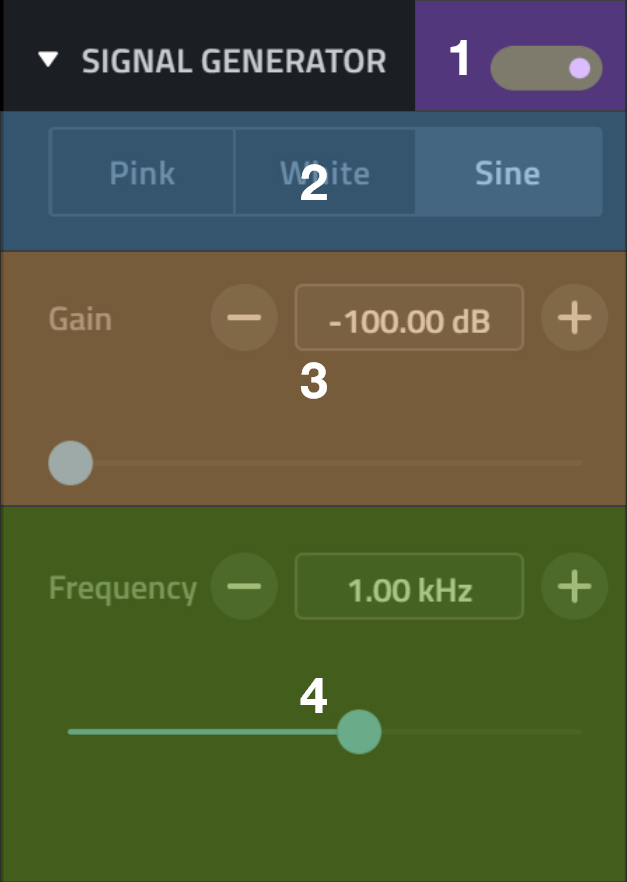
| Name | Function | |
|---|---|---|
| 1 | Power Switch | Toggling this switch turns the generator on or off. |
| 2 | Tone Selector | Select the type of tone being generated, the options are: pink noise, white noise or a sine wave. |
| 3 | Gain Control | Controls the output level of the Generator. |
| 4 | Frequency Control | Controls the frequency of the sine wave, this control is only visible when sine wave is selected. |
