Focus Presets
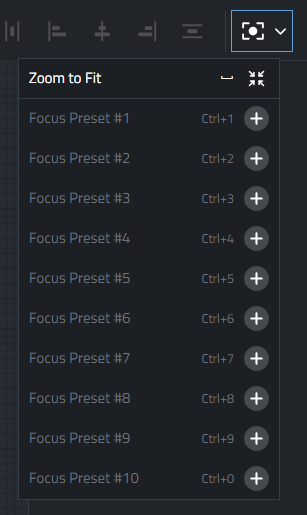
Focus Presets enable quick focus on user defined areas of the workspace.
Creating a Focus Preset
Position the view area to a specific area of the workspace.
-
Using the Menu: Press the + button next to the preset you want to assign and give the preset a name.
-
Using Keyboard shortcuts: Pressing
Cmd+Numberwill create a preset if it doesn't exist or update it if it does exist.
Modifying a Focus Preset
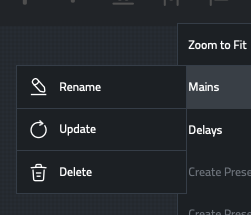
Next to the preset, select the contextual menu.
Options include Rename, Update and Delete.
To update a Focus Preset from the keyboard, use the same [Cmd]+[Number] used to create the Focus Preset.
Recalling a Focus Preset
-
Using the Menu: select the Focus Preset you wish to recall
-
Using the keyboard: Press the number Key assigned to the existing preset.