Performance Manager

Configure & Control Audio Systems

JBL Performance Manager

Performance Manager streamlines the deployment and operation of JBL and Crown networked audio systems for live events, reducing design time, simplifying networking, and automating control setup. Its patented interface guides technicians through system deployment and optimization step-by-step, greatly simplifying the configuration process.

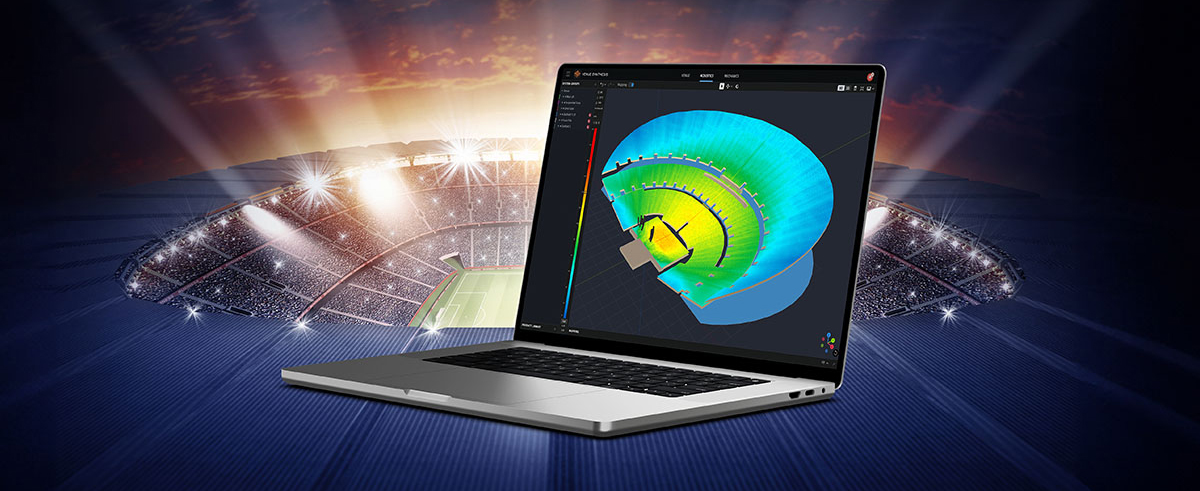
Performance Manager is part of a comprehensive software ecosystem which includes JBL’s Venue Synthesis 3D Acoustic Simulation Software, and the ArrayLink mobile companion app. Together these applications take operators from system design phase to deployment in no time.

Download Performance Manager
Windows

Drag-and-Drop System Design

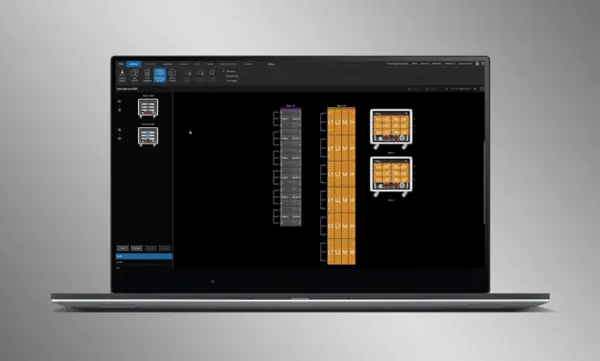
Visually drag and drop JBL Professional speakers and Crown amplifiers into groups of arrays and connect them to the amplifiers. Control functions are automatically organized into logical groups, making it easy to configure and optimize JBL sound systems.

Import Optimized Systems

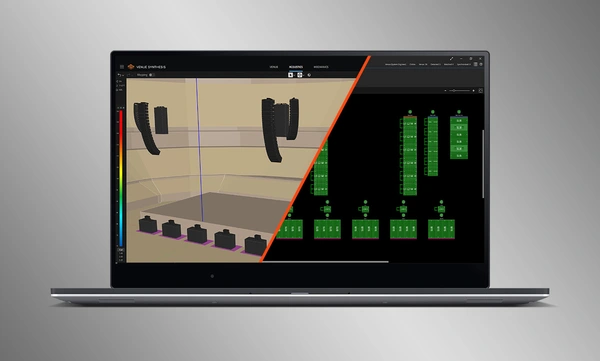
Complete system designs from Venue Synthesis can be directly imported into Performance Manager. All array data is imported including speaker type, DSP, and array parameters. Imported parameters can be easily updated if a change is made to the imported file.

Connect and Synchronize Devices

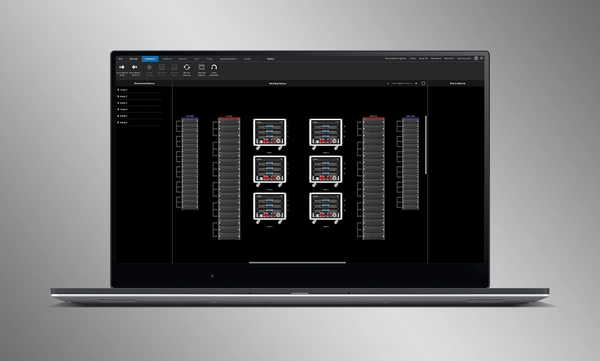
Drag and drop networked amplifiers onto their software counterparts to connect and synchronize devices. All system related data, including JBL speaker preset and imported DSP parameters are automatically synchronized.

System Verification Tools

A dedicated Test Mode provides operators with intuitive tools to verify per-bandpass speaker functionality and input patching to amplifiers.

Optimasi Sistem yang Intuitif

Performance Manager secara otomatis mengelompokkan kontrol DSP ke dalam grup berbasis array yang logis. Filter Kalibrasi dan EQ diakses melalui GUI yang menarik secara visual, dioptimalkan untuk perangkat Windows OS dengan sentuhan. Filter Kalibrasi, EQ, Delay, dan Gain semuanya dapat dimodifikasi pada berbagai level sistem, array, dan sirkuit.

Visual Monitoring Tools

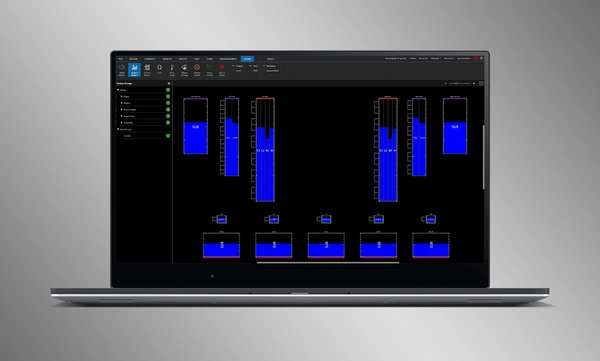
The dedicated Show Mode displays high resolution system metering and amplifier telemetry, overlaid directly onto the graphical representation of the audio system.

SMAART Integration

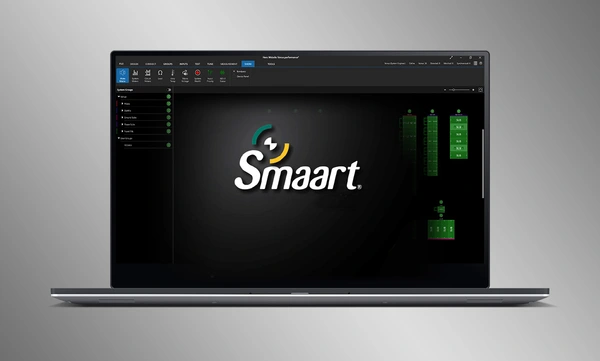
Integration with Rational Acoustics' Smaart® (v7 and v8) acoustic testing and measurement software provides unprecedented access to live measurement information—all delivered over the network on one screen.

Drag-and-Drop System Design

Visually drag and drop JBL Professional speakers and Crown amplifiers into groups of arrays and connect them to the amplifiers. Control functions are automatically organized into logical groups, making it easy to configure and optimize JBL sound systems.

Import Optimized Systems

Complete system designs from Venue Synthesis can be directly imported into Performance Manager. All array data is imported including speaker type, DSP, and array parameters. Imported parameters can be easily updated if a change is made to the imported file.

Connect and Synchronize Devices

Drag and drop networked amplifiers onto their software counterparts to connect and synchronize devices. All system related data, including JBL speaker preset and imported DSP parameters are automatically synchronized.

System Verification Tools

A dedicated Test Mode provides operators with intuitive tools to verify per-bandpass speaker functionality and input patching to amplifiers.

Optimasi Sistem yang Intuitif

Performance Manager secara otomatis mengelompokkan kontrol DSP ke dalam grup berbasis array yang logis. Filter Kalibrasi dan EQ diakses melalui GUI yang menarik secara visual, dioptimalkan untuk perangkat Windows OS dengan sentuhan. Filter Kalibrasi, EQ, Delay, dan Gain semuanya dapat dimodifikasi pada berbagai level sistem, array, dan sirkuit.

Visual Monitoring Tools

The dedicated Show Mode displays high resolution system metering and amplifier telemetry, overlaid directly onto the graphical representation of the audio system.

SMAART Integration

Integration with Rational Acoustics' Smaart® (v7 and v8) acoustic testing and measurement software provides unprecedented access to live measurement information—all delivered over the network on one screen.

Keterangan Lebih Lanjut

Supported JBL Systems:

Supported Operating Systems:

  • 64-bit versions of Windows 7, Windows 8.1, Windows 10, Windows 11

Minimum Performance Guidelines:

  • CPU: 64 bit dual core @ 2.0GHz or better
  • Memory: 4GB

Optimal Performance Guidelines:

  • CPU: 64 bit dual core @ 2.50 GHz or better
  • RAM: 8GB or more
  • OS: 64-bit Windows 7 or above
  • Storage: SSD

Unduhan

Software
  Versi Ukuran Diunggah
Windows download icon PerformanceManager
versi 3.3.0, diperbarui: Jul 2026
3.3.0   136 MB Jul 2026
Readmes
  Versi Bahasa Ukuran Diunggah
file type icon Performance Manager Readme
en versi 3.3, diperbarui: Jul 2026
3.3  en  4,86 MB Jul 2026

Jika ada tautan di atas yang menampilkan karakter aneh di browser Anda, klik kanan file tersebut untuk menyimpannya ke komputer Anda.

Suku Cadang & Servis

Video


HARMAN Pro Insights

Perfecting Live Sound Design: Inside JBL Venue Synthesis 3D Acoustic Simulation Software feature

Perfecting Live Sound Design: Inside JBL Venue Synthesis 3D Acoustic Simulation Software

In the ever-evolving world of tour sound design, the need for powerful and user-friendly tools is paramount. JBL Professional’s Venue Synthesis (VS) 3D acoustic simulation software meets those needs with an all-encompassing solution for front-of-house (FOH) engineers and tour managers. To gain deeper insight, we

CONTINUE READING

Game-Changing Installed Audio Design: JBL Pro Application Engineered (AE) Loudspeakers feature

Game-Changing Installed Audio Design: JBL Pro Application Engineered (AE) Loudspeakers

Identifying the optimal solution for any installed audio project, requires a range of important considerations. Understanding the client’s specific needs and budget constraints is crucial. This involves a thorough analysis of the acoustic environment and the intended application. Secondly, the system design should be carefully

CONTINUE READING

Exploring the Magic: Inside 14 JBL Worldwide Live Entertainment Stories feature

Exploring the Magic: Inside 14 JBL Worldwide Live Entertainment Stories

Live entertainment captivates audiences, transcends boundaries and unites fans in a celebration of sound and rhythm. From electrifying music festivals to immersive theatrical productions to enthralling sporting events, the magic of live entertainment relies on the technology driving it to bring performances to life. JBL

CONTINUE READING

Dukungan/FAQ